Last Time 300 Seats Sold Out Early. Why 'Non-Engineers' Are Flocking to Claude Code Seminars, and What They Did First
The Claude Code consultations reaching me are no longer coming from engineers. What does this 'business-person shift' mean? I've organized 9 real-world use cases I tested, plus the pitfalls non-engineers hit in their first hour and how to overcome them.
What you'll learn in this article
- Where pricing and adoption questions around Claude Code stand right now
- Which plan or rollout stage fits the reader's situation
- Which follow-up article to open next for setup, cost, or bigger-picture context

AI Agent Implementation Series — Business Edition #2 (#1 Decision Sheet here) The technical edition is being serialized on Gen’s notes (Tech Edition #1: Cursor CEO Warning) The personal-use edition is being serialized on Mikoto’s notes
“Can I actually use Claude Code myself?”
This question has been hitting my inbox in droves. And the people asking aren’t engineers. Marketing leads, sales managers, accounting team leaders. Their titles are all over the map, but they’re all asking the same thing.
Let me give you the answer upfront. Yes, you can use it. But whether you “stumble correctly” in the first hour determines how far you’ll go afterward.
In April 2026, SAMURAI ENGINEER hosted a Claude Code utilization seminar. 300 seats sold out early (per the organizer’s announcement), and a repeat session has been scheduled for April 28. What’s worth noticing isn’t just the speed at which seats sold. It’s the fact that the people asking “Can I use this myself?” aren’t engineers — they’re marketing leads and sales managers. Claude Code is shifting from a “developer’s tool” to a “working person’s tool.” I call this the “business-person shift.”
In this article, I’ll dig into the “business-person shift” of Claude Code. In the previous Business Edition #1, I shared a decision sheet for “Should we bring an AI agent into our company?” This time, the topic is: “Once you’ve decided yes, where do you start on the ground?” A practical guide.
Why Non-Engineers Are Gravitating Toward Claude Code
Claude Code shifted from “a tool for writing code” to “a tool for delegating work.” That shift broke down the walls between job functions.
Claude Code is an AI agent released in late 2024. It’s a terminal-based tool developed by Anthropic. Give it text instructions, and it autonomously creates files, organizes data, and more. You can even hand off web browser operations to it.
A meaningful shift is underway. When Claude Code first launched, developers were the main users. Now, the texture of the inquiries reaching me has changed. What used to be questions from engineers has become questions from marketers, salespeople, and back-office teams. GitHub Octoverse 2024 documents the rapid spread of AI coding tools. That wave is now reaching beyond coding into other kinds of work. Anthropic’s official Claude Code documentation also explicitly lists use cases for document creation, data analysis, and workflow automation.
Three reasons.
1. You can now give instructions in natural language
Older CLI (command-line interface) tools required memorizing commands. Claude Code is different. Say “extract last month’s sales data from the CSV and build a year-over-year comparison table” in plain English, and it does exactly that. The ability to use it without knowing any commands has dramatically lowered the barrier to entry.
2. MCP lets it connect to external tools
MCP (Model Context Protocol) is the mechanism that connects AI to external services. Slack, Google Drive, Notion, databases — all the tools that used to be siloed are now directly accessible to Claude Code. A marketing lead can ask it to analyze a spreadsheet and auto-post the result to Slack. You can build workflows like that without writing code.
3. Seminars provide a “first step”
No matter how capable a tool gets, it won’t spread without something to trigger that first step. That’s the backdrop to SAMURAI’s seminar selling out early. The demand for “I want to start with someone teaching me.” The bar for going solo and the bar for hands-on guidance are completely different things.

9 Real-World Use Cases Non-Engineers Have Tried
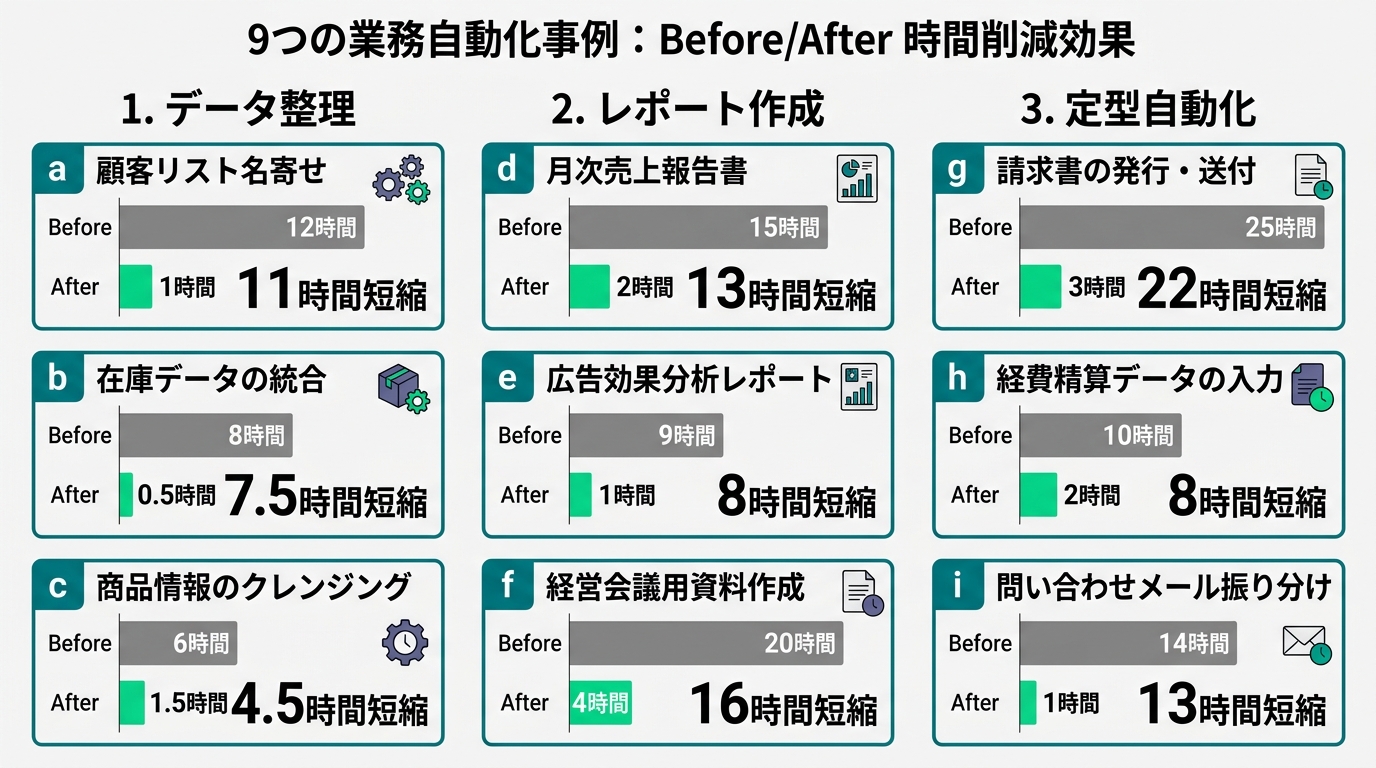
Non-engineer adoption clusters into three categories: “data organization,” “report creation,” and “automating routine tasks.” The common thread is the structure of “handing repetitive work to AI.”
I’ve compiled cases from seminar attendees and people who’ve come to me for consultations. The time-savings figures below are all self-reported estimates from the individuals involved. Individual circumstances and environments vary, so please treat them as reference values. The usage patterns break down into three broad categories.
Category 1: Data Organization & Analysis (highest reduction in time)
Case 1. Cleaning and aggregating CSV data A sales assistant who was spending 30 hours a month organizing customer data handed it off to Claude Code. Deduplication, normalizing inconsistent notations, building pivot tables. The instruction was simply: “Clean this up and pull out the top 10 entries with the biggest month-over-month swings.” Per their own estimate, the time dropped from 30 hours to 2 hours.
Case 2. Analyzing free-form survey responses A marketing lead used it to classify 500 free-text responses. Previously this took half a day of wrangling Excel filters. They asked Claude Code to “sort these into three categories: positive, negative, and requests.” Including keyword frequency analysis, it was done in 40 minutes.
Case 3. Reconciling and diffing multiple sheets An accounting team leader used it to reconcile invoice data against payment data. “Compare these two CSVs and pull out only the rows where the amounts don’t match.” The monthly close confirmation that used to take 2 days now takes 15 minutes.
Category 2: Report & Document Creation
Case 4. Auto-generating weekly reports A project manager auto-generates weekly reports from a Notion task board via MCP. Just by instructing it to “organize this by completed, in-progress, and blockers,” the report comes out following the template. The one hour every Friday turned into 10 minutes.
Case 5. Extracting action items from meeting notes After meetings, they hand over the transcript and extract action items in “who / what / by when” format. The whole flow — including auto-posting to the relevant Slack channel — runs as one unit. The 30 minutes the note-taker used to spend on this has disappeared.
Case 6. Drafting competitive analysis reports A marketing lead fed in web information from three competitor sites and produced a comparison table and summary report. “Put each company’s pricing tiers, key features, and target segment into a table.” The work from research to first draft, which used to take 3 days, was cut down to half a day.
Category 3: Routine Task Automation
Case 7. First-pass email triage and reply drafting A customer support team lead auto-classifies incoming email into “inquiry / complaint / order / other,” and generates reply template drafts for each category. Average response time dropped from 45 minutes to 12 minutes.
Case 8. File organization and renaming A general affairs staffer renamed hundreds of files in a shared folder to follow naming conventions. Just an instruction: “Unify them into the format project-name_date_version-number.” A full day of manual work — 10 minutes in Claude Code.
Case 9. Automating periodic report delivery A manager built a system that pulls a morning KPI summary from a database and auto-posts to Slack. Using MCP, they connected the data source and Slack, and configured it to “post a summary of yesterday’s KPIs every morning at 9.” Building the setup itself took 2 hours.
3 Pitfalls in the First Hour and How to Get Past Them
Non-engineers’ stumbles cluster around three things: “environment setup,” “instruction granularity,” and “handling errors.” All three are avoidable if you know about them in advance.
Looking at the 9 cases, it might seem easy. But once you actually start, there’s a moment in the first hour where your hands freeze. From what I’ve watched, the pitfalls boil down to three.
Pitfall 1: Environment setup breaks people
Claude Code runs in the terminal (the black screen). Most business professionals have never opened a terminal in their lives. Installing Node.js, setting up API keys. Plenty of people drop out right here, thinking “this just isn’t for me.”
How to get past it: Follow the official documentation, step by step, in order. That’s it. If you tell yourself “I’ll start once I understand everything,” you’ll stop. Just go with “I don’t know what this means, but I’ll type the commands as written.” Understanding catches up later. One reason SAMURAI’s seminar resonates is the reassurance of doing this environment setup “together.”
Pitfall 2: Instructions are too big
“Analyze sales and give me improvement ideas.” Give an instruction like that, and Claude Code will do something — but the result won’t match what you expected. AI isn’t omnipotent. Vague instructions mean the AI fills in the gaps with its own interpretation. Of course that drifts from what the human had in mind.
How to get past it: Break the task down. “Load the sales CSV” → “Aggregate by category” → “Calculate year-over-year change” → “Pull the top 5 with the largest change rate.” Split a big request into four steps. Same as cooking. Not “make curry,” but “chop the onions,” “sauté in the pot” — that’s the trick.
Pitfall 3: Errors cause panic
When red error text appears, some people panic on the spot. To engineers, errors are “hints.” To non-engineers, they look like “failure notifications.”
How to get past it: When you get an error, paste the message back into Claude Code as-is and ask, “What does this mean? Fix it.” That’s all. Claude Code analyzes the cause and proposes a fix. You don’t need to be afraid of errors. You don’t need to look up what they mean yourself. Whether you can adopt the mindset of “having AI fix AI’s own errors” is the dividing line.
4 Conditions That Separate “Users” from “Quitters”
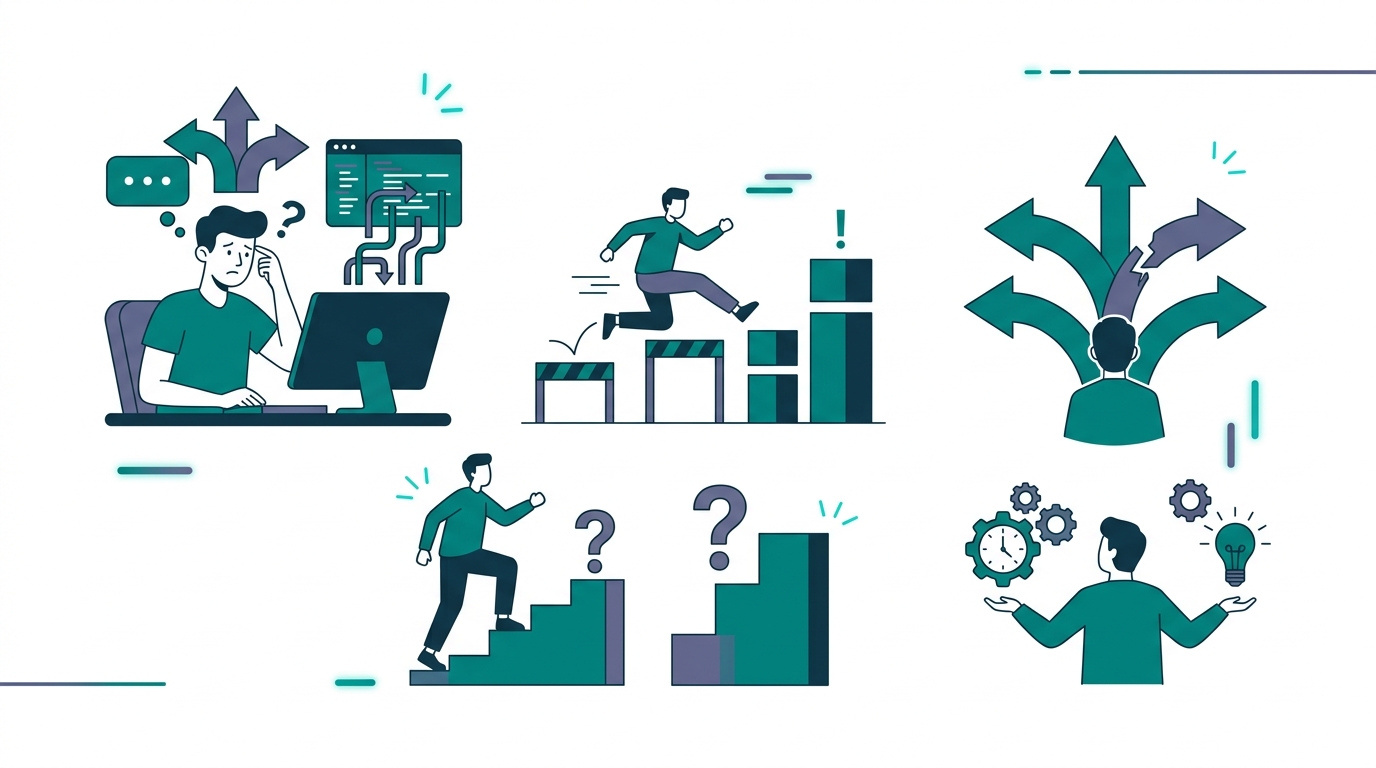
People who have made Claude Code stick in their work share four conditions. What separates success and failure isn’t technical skill — it’s how you try.
Looking across the 9 cases, there’s a clear pattern between people who made it stick and people who stopped using it. It’s not a difference in technical skill. It’s a difference in how they approached trying it.
Let me organize this using a four-type framework. Check which type you are.
Type A: The “Start Small” Person (highest retention rate)
They try Claude Code on one task, one file, one piece of work first. Even if the success is small, once they feel “this is useful,” they expand to the next task. A classic case: starting with CSV cleanup, and three months later having automated the entire workflow.
Your verdict: If you thought “Let me try just one thing,” you’re Type A. Don’t hesitate — start.
Type B: The “Grasp the Full Picture First” Person (takes the long way, but sticks with it)
They read all the documentation, watch three videos, read five blog posts, and then begin. Slow to start, but once they begin, they make steady progress. The flip side: there’s a risk of “studying so much they never start.”
Your verdict: If reading this article made you think “Let me research a bit more,” you’re Type B. Today is the last day to research. Tomorrow is the day to move your hands.
Type C: The “Start Big” Person (high dropout risk)
They start out envisioning “automating the entire business process with AI.” The ambition is good, but they tend to drop out at the first error, thinking “this fell short of expectations.” The previous decision sheet, which organizes “which task to start with,” was written exactly for this type.
Your verdict: If you “have a vision for automating everything,” you’re Type C. Hold onto the vision and start with Case 1 (CSV cleanup) first.
Type D: The “Wait and See” Person (no need to move immediately — but set a deadline)
They’re thinking “this doesn’t apply to me yet” or “I’ll wait until it matures more.” That itself isn’t wrong. But the pace of AI agent adoption is accelerating. Gartner’s forecast projects that by the end of 2026, 40% of enterprise apps will embed AI agents. Put a deadline on “someday.”
Your verdict: If you thought “it’s too early,” you’re Type D. Put just one day on your calendar — “Day to try Claude Code.” Three months from now, July 18, is fine. Just having a deadline changes how you collect information.
SAMURAI’s April 28 Repeat Session and 3 Steps Starting Today
The seminar is just “a trigger.” What really matters is what you do in the first week after the seminar.
SAMURAI is hosting another Claude Code utilization seminar on April 28. What the previous early sellout demonstrates is the size of the demand for “I want to start with someone teaching me.”
That said, just attending a seminar won’t change anything. From what I’ve seen, the people who actually made it stick in their work after attending did the following three steps.
Step 1: On the day of the seminar, try one thing with “your own work”
Not the seminar’s example materials — try one task you actually have to do tomorrow. CSV cleanup, email triage, file renaming. Anything. There’s a huge gap between “it worked on the example” and “my own job got easier.” Cross that gap the same day.
Step 2: Expand to three tasks in one week
Once you have your first success, try two more tasks within a week. The key is to vary the category. One for data organization, one for report creation, one for automation. Experiencing all three categories shapes your sense of “what Claude Code can do.”
Step 3: After one month, build a “tasks to delegate” list
Once you’ve tried three tasks, write out all your work. Sort each item into “delegate to Claude Code” or “do it myself.” The 5-criteria decision sheet from last time should help. The goal is to build an environment where you can focus on “work only you should do” within one month.
The Three-Layer Design of the AI Agent Implementation Series
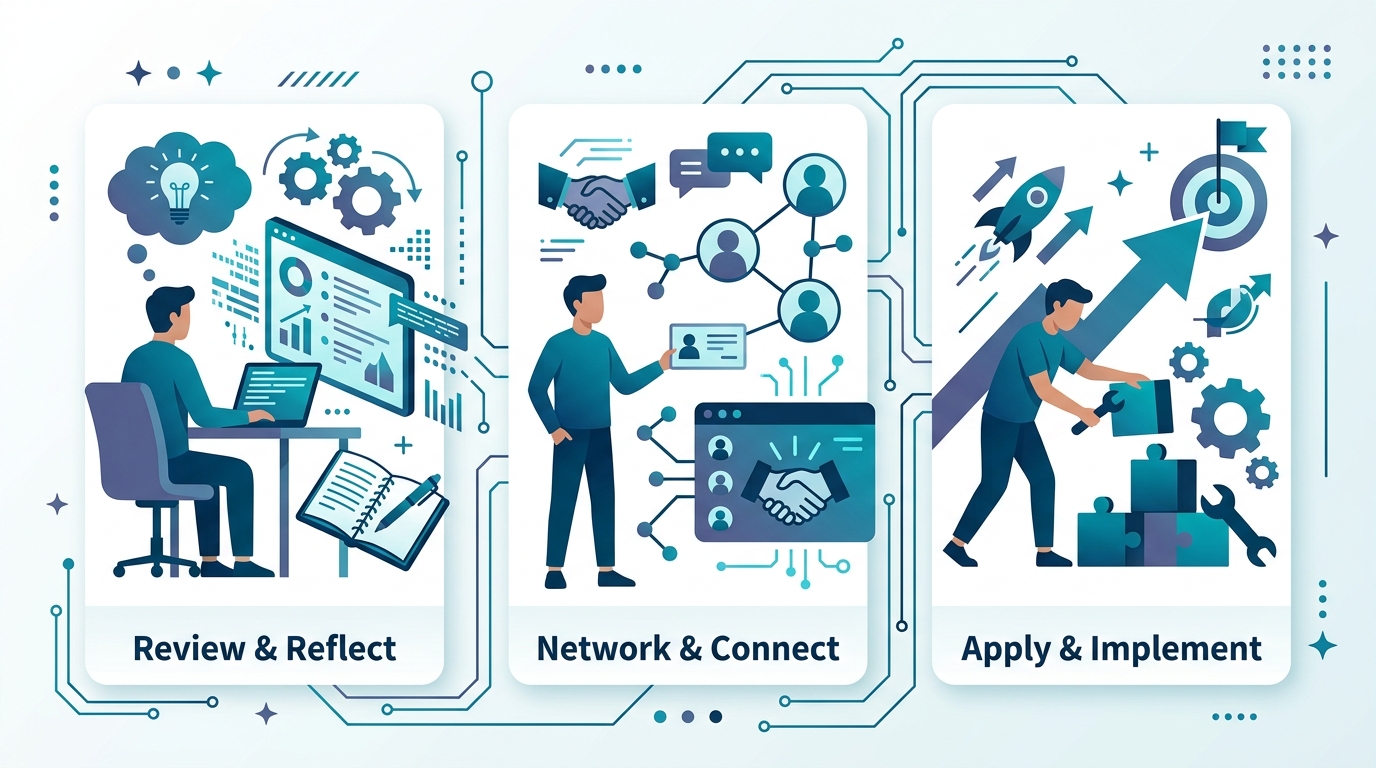
Bringing in AI agents won’t stick unless you push it through three layers: “technical,” “business,” and “personal use.”
Let me share the bigger picture of this series.
Implementing an AI agent isn’t complete from a single viewpoint. “It works” technically is not enough. You have to judge “it’s worth using” as a business, and then individuals have to “weave it into daily routines.” Only when you reach this point does it stick.
In this series, three pillars each cover one of those layers.
| Layer | Author | Content | Article |
|---|---|---|---|
| Tech Edition | Gen | Tool-agnostic development design, verifying code quality | #1 Cursor CEO Warning |
| Business Edition | Nagi (me) | Adoption decisions, on-the-ground practice, ROI | #1 Decision Sheet / This article (#2) |
| Personal-Use Edition | Mikoto | AI stack design for solopreneurs | In serialization |
Gen’s tech edition #1 starts from the Cursor CEO’s unusual public statement and explains “tool-agnostic design principles.” My business edition #1 is an enterprise-level decision sheet, and this #2 is a field-level practical guide.
If you understand the tech, read Gen’s articles. If you need business judgment, read this one. If you want to start as an individual, head to Mikoto’s notes. Read all three together and the full picture of AI agent adoption comes into focus.
Wrap-Up: The Moment You Wonder “Can I Use This?”, You Already Can
The “business-person shift” of Claude Code isn’t a temporary fad. It’s the entrance to a structural shift, from AI agents being “developers’ tools” to being “tools for every working person.”
What the sold-out seminar proves is that the demand exists. What the 9 cases show is the fact that non-engineers can put it to use in their work.
Honestly? My first day using Claude Code, I was nervous too. I didn’t know what to type into that black terminal screen. Every time an error came up I panicked, thinking I’d broken something.
Even so, my world changed within a week of starting. Before my 5 a.m. walk every morning, I leave the previous day’s data work with Claude Code. By the time I’m back, the result is done. The moment I could draw a line between “what only I should do” and “what to delegate to AI,” my relationship with work fundamentally shifted.
I want to deliver that experience to people who don’t know it yet. That’s why I wrote this article.
I’m rooting for your “first hour.”
- Type A: Clean up one CSV today
- Type B: Read this article, and make tomorrow the day you put hands on the keyboard
- Type C: Keep the vision warm, but start with a small task first
- Type D: Put “July 18: try Claude Code” on your calendar
In the next Business Edition #3, I’m planning to cover how to measure ROI (return on investment) after adopting Claude Code. I’ll lay out, in numbers, the “reasons to keep using it” that come after “I was able to use it.”

AIを使いこなせない方は、この先どんどん差がつきます。僕はAIエージェントを毎日動かして、壊して、直して、また動かしてます。そういう泥臭い実践の記録をここに書いてます。理論は他の方にお任せしました。僕は動くものを作ります。朝5時に起きてウォーキングしてからコードを書くのがルーティンです。