Just 'Using' AI No Longer Sets You Apart. The Critical Difference Between Companies Stuck at Adoption and Those Who Redesigned How They Work
AI tool adoption rates are climbing fast — but only a handful of companies are actually seeing results. What separates the ones stuck at adoption from those who redesigned their workflows from the ground up? Drawing on Q1 research data and real Japanese company examples, this article maps out what it takes to reach the 'Phase 2' of AI utilization.
What you'll learn in this article
- The key point to grasp before reading the full article
- How the issue changes practical decisions after reading
- Which follow-up article is worth opening next
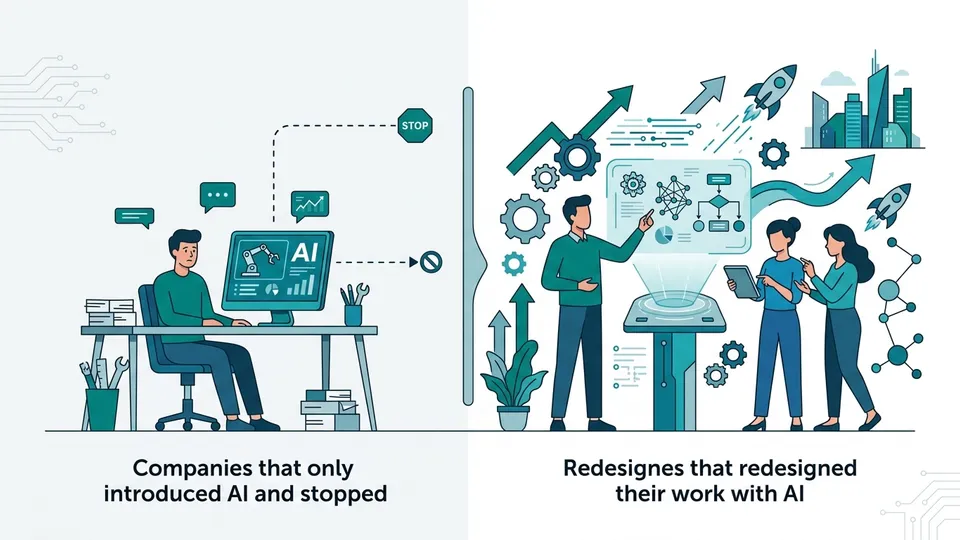
“Oh, we use ChatGPT too.” Every time I hear that, I feel a small pang of concern.
Using it — that’s table stakes now. The real question isn’t what you’re using AI for, but whether you’ve actually changed how work flows. The number of companies that have adopted AI tools has skyrocketed. So has the number of companies that adopted them and stopped there.
This article uses Q1 2026 data and examples from Japanese companies to map out what “Phase 2” of AI utilization actually looks like. This isn’t a guide to picking the right tools — it’s about redesigning how work gets done. By the end, you should be able to identify exactly which phase you’re in.
AI Adoption Is Up. But Real Utilization Is Still Below 50%
There’s a widening gap between AI tool adoption rates and actual utilization.
Menlo Ventures’ research makes this clear. Enterprise generative AI spending has grown 2–3x year-over-year. Anthropic’s Claude now holds a 40% share of enterprise AI spending (in the LLM spend context) — surpassing OpenAI’s 27%. The numbers signal that serious enterprise adoption has arrived.
But adoption and utilization are two different things.
Plenty of companies use ChatGPT to draft emails or summarize meeting notes. It’s convenient, it saves time. But that’s just “making existing work slightly easier with AI.”
I call this Phase 1.
Phase 1 has three hallmarks: individuals started using it on their own initiative; use cases are heavily skewed toward text generation; and the organization has no formal rules around it yet. Sound familiar?
Which brings up the obvious question: why do so many companies get stuck in Phase 1? The answer is simple — Phase 1 doesn’t require changing how you work. Existing workflows stay intact. AI handles a slice of the tasks. No one needs to touch org structure or performance reviews.
That’s the trap. When “it’s more convenient” feels like enough, you stop moving forward. Most people never realize that “not having to change anything” is exactly what’s holding them back.
In my own marketing career, I’ve watched this Phase 1 stall play out countless times. Teams use ChatGPT to draft proposals. They ask Claude to write emails. There’s a real sense of using tools. But the team’s way of working? Completely unchanged. The gap between the feeling of convenience and actual results — that’s the ceiling of Phase 1.
And that ceiling is where most companies are still sitting.
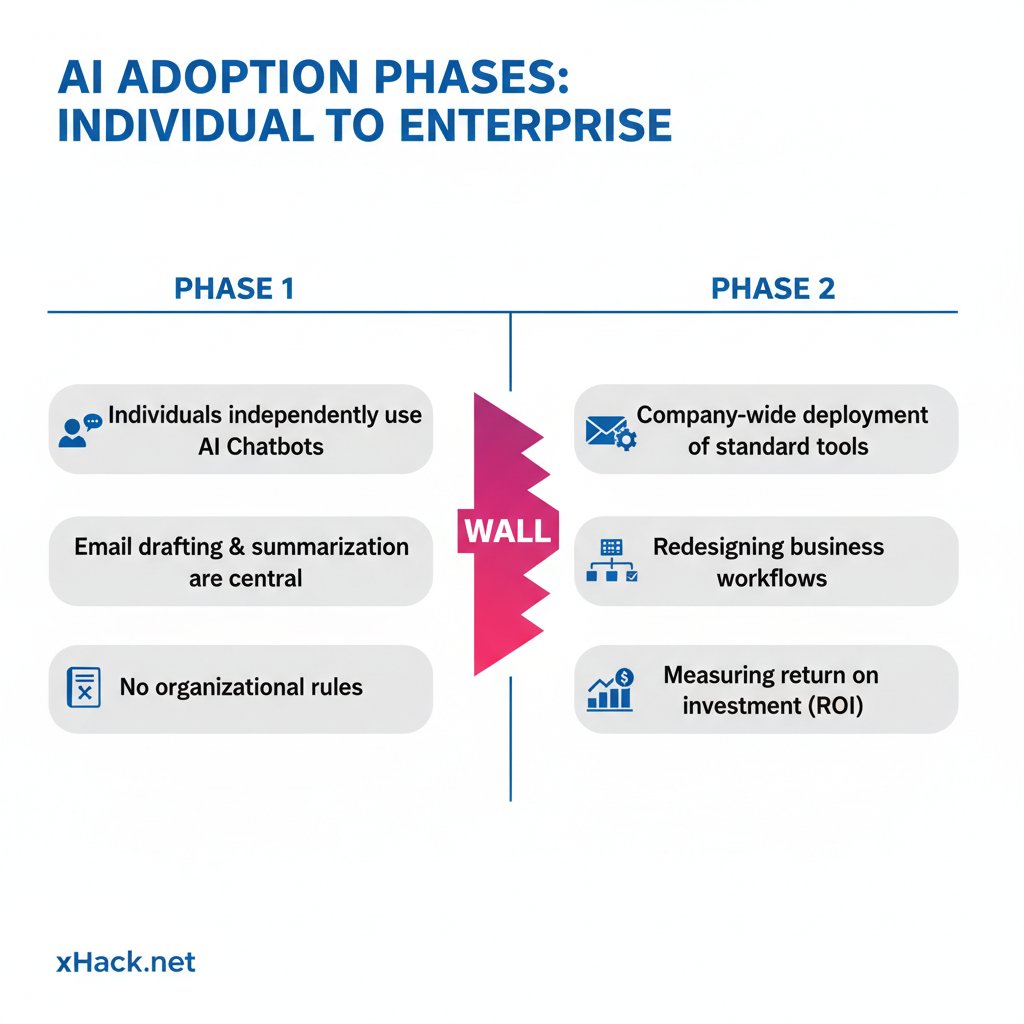
What Is Phase 2? The Shift from Using AI to Embedding It
Phase 2 means AI is no longer something you “use” — it’s something you build your workflows around.
What’s the actual difference? In Phase 1, humans do the work and hand some of it off to AI. In Phase 2, you start from the assumption that AI handles certain work, and redefine the human role from there. The sequence is reversed.
Gartner’s forecast points in this direction: by 2028, more than 40% of enterprise applications will have AI agents built in — up from less than 5% in 2024. The implication is clear: AI is moving from “tool” to “infrastructure.”
Think back to when Excel arrived. It started as “a tool to help with calculations.” Eventually, entire business processes were designed around Excel as a given. Budget management, inventory tracking — none of it worked without it. AI agents are following the same path.
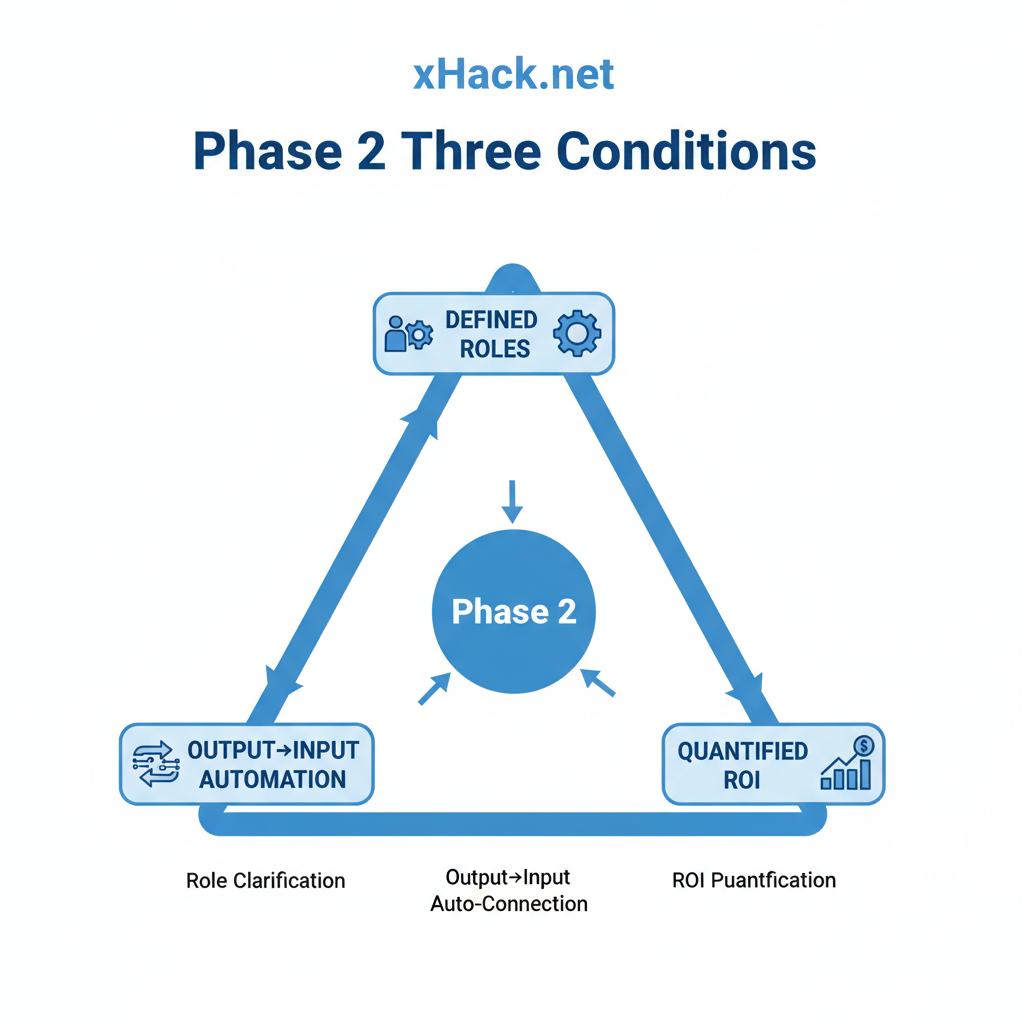
Organizations that have entered Phase 2 share three traits.
First: “Who uses AI for what” is written down. It’s not left to individual judgment — AI’s role is defined by function. “Use Claude for the initial research phase.” “Apply AI to first-draft replies.” That kind of specificity.
Second: AI output feeds directly into the next step. It’s not “AI writes something, a human reviews it, done.” The output automatically flows into the next process. Draft → team review → revision → publish — and the whole chain is designed with AI as a participant.
Third: ROI is measured in numbers. Not “it feels useful,” but tracked metrics: hours saved, cost changes. Numbers enable the next investment decision. Without them, you’re just guessing.
When all three conditions are met, AI stops being “a personal convenience tool” and becomes “organizational competitive advantage.”
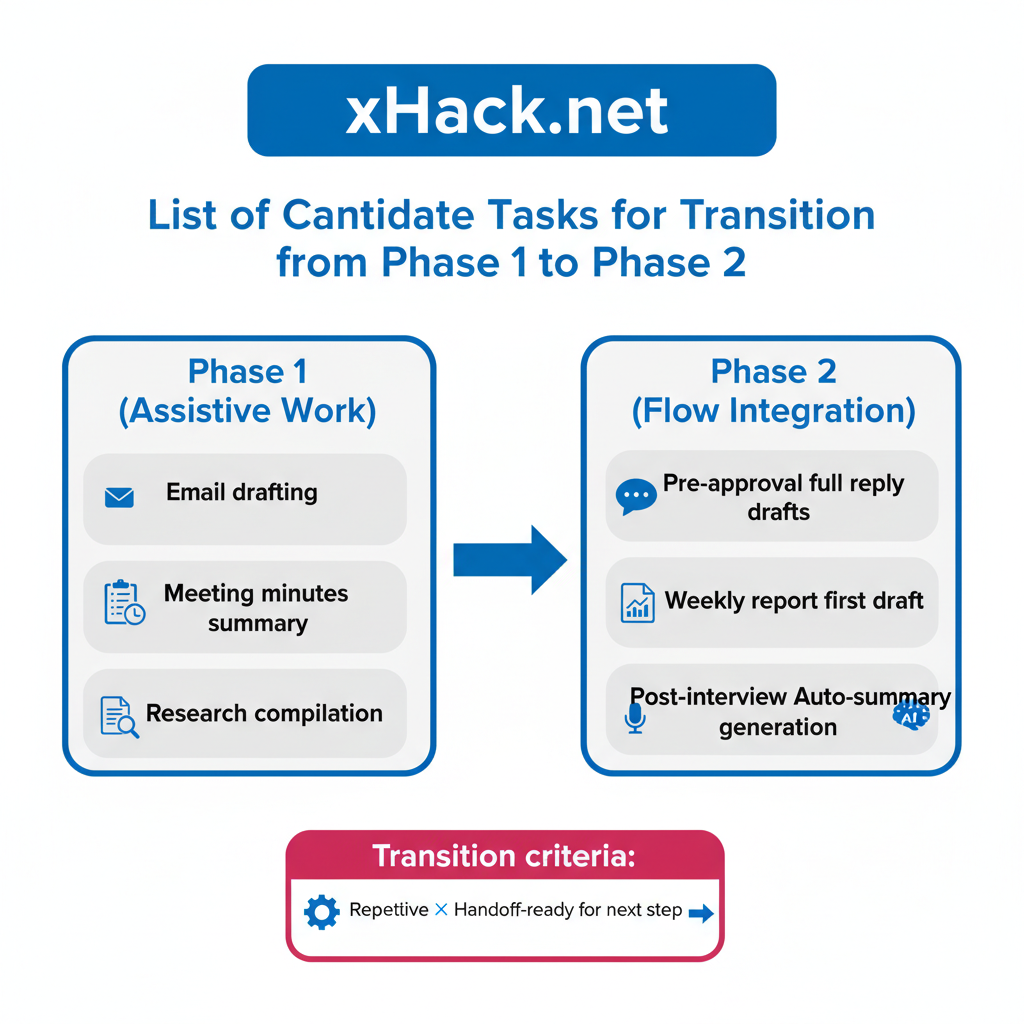
So which tasks make the best starting point? Based on what I’ve seen, there’s a consistent pattern for where the Phase 1 → Phase 2 transition happens most naturally.
The tasks commonly used in Phase 1 — email drafts, meeting summaries — are support work. Phase 2 candidates sit deeper inside the workflow: “drafts for all replies before approval,” “generating the first draft of weekly reports,” “auto-summarizing customer interviews.” These are tasks that can be embedded in a flow and handed off to the next stage.
The two keywords: recurring and passable downstream. Start with tasks that hit both criteria, and switch them to AI-first one by one. That’s the realistic entry point into Phase 2.
Two Japanese Companies That Made the Move — and the Design Behind It
Japanese companies are already stepping into Phase 2.
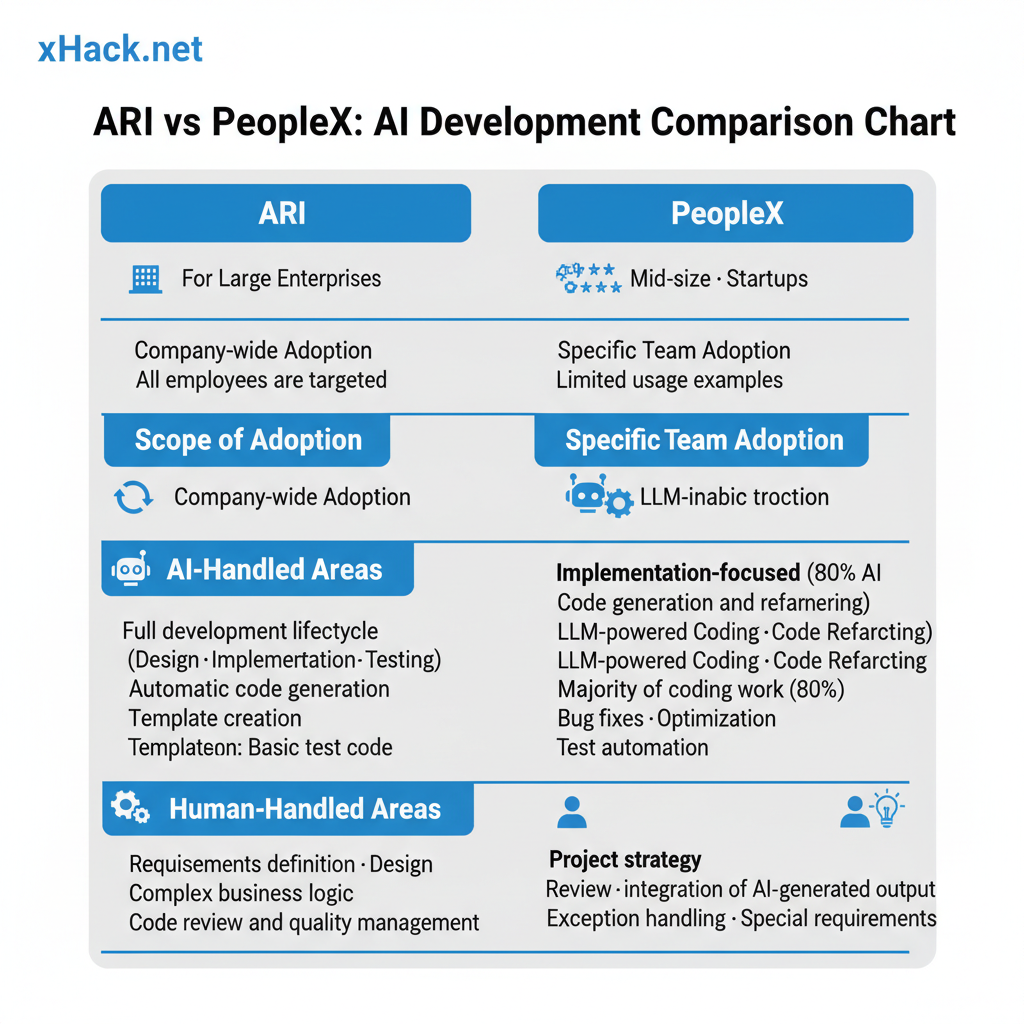
The first is AR Advanced Technology (ticker: 5578). In April 2026, they deployed Claude Code as the standard tool for every engineer and every consultant in the company — announced officially in a timely disclosure.
What stands out is the decision to give it to everyone. Most companies restrict AI tools to volunteers or specific projects. ARI took a different approach.
Not just engineers — consultants too. Engineers got Claude Code + GitHub Copilot + Cursor. Consultants got M365 Copilot + Gemini. A multi-AI strategy, optimized by role.
What follows is my interpretation, but I believe the company-wide deployment was deliberately designed to prevent a two-tier workforce from forming inside the organization. If only some employees use AI, you can’t build AI-first workflows across the board. Everyone needs the same tools before you can run AI-native processes at scale.
Imagine half your team using AI. The AI side delivers in 30 minutes; the non-AI side takes 3 hours. The bottleneck doesn’t go away, and team productivity doesn’t improve. The flow only works when everyone is equipped.
More on this in my earlier piece: “A Japanese IT Company Gave Every Engineer and Consultant Claude Code”.
The second example is PeopleX. Using Cursor + v0, they announced via PR TIMES that approximately 80% of all product code was written with AI assistance.
The 80% figure is striking — but that’s not the real point. What matters is the design: humans focus on the remaining 20%. Let AI handle what AI does well; let humans focus on judgment, architecture, and quality assurance. That’s Phase 2 in practice.
“AI writes 80% of the code” might sound like humans are being replaced. It’s actually the opposite. It makes what humans should be doing unmistakably clear. The gap between organizations that have drawn that line and those that haven’t is widening.
Both companies share one defining move: they elevated AI from “individual choice” to “organizational standard.” Not a debate about which tool is best — an executive decision about how work should change.
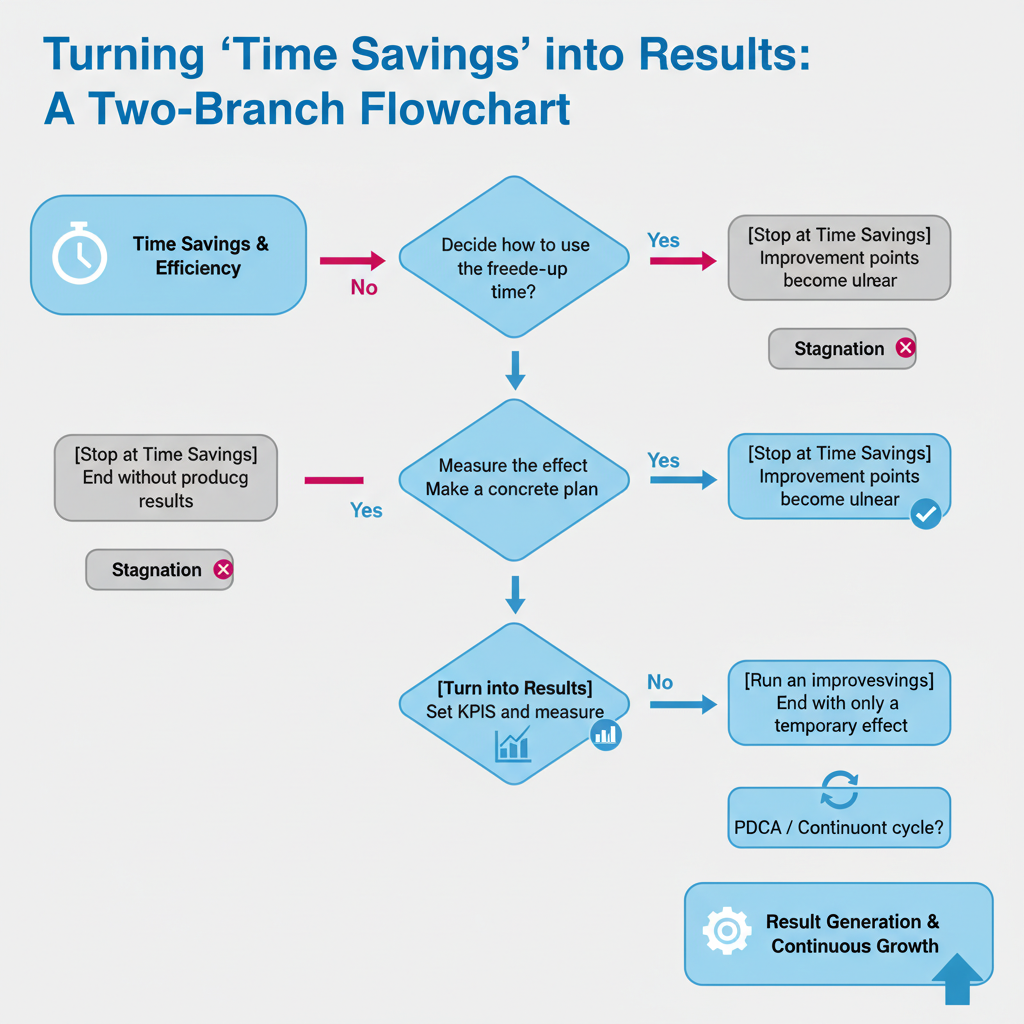
The Gap Between Companies That Stopped at “Time Saved” and Those That Turned It Into Results
If you measure AI’s impact as “we freed up some time” and stop there, Phase 2 is out of reach.
A common failure pattern: a company adopts AI, reports “we saved 20 hours of work per month,” leadership is pleased — and then no one tracks what those 20 hours were spent on. The time gets absorbed by other busywork, and productivity is unchanged.
The gap between organizations that systematically leverage AI and those that ran a pilot and stopped is significant. Multiple research reports consistently show that the difference between organizations that embed AI into workflows versus those who “kind of use it” grows larger over time.
Where does that gap originate? In my experience, there are three decision points.
Decision point one: Have you decided what to do with the time you freed up?
Time savings are a means, not an end. Say AI cuts your meeting summary time by 30 minutes. An organization that decides “those 30 minutes go to preparing for client calls” sees results. One that “kind of uses the time for other things” looks completely different three months later.
In practice, “freed-up 30 minutes” disappears if you don’t plan for it. A meeting gets added. Email responses eat it up. Unless you explicitly declare “this time goes to X,” productivity doesn’t improve.
Decision point two: Are you measuring AI’s impact in team-level numbers, not individual impressions?
“It feels more convenient” isn’t data for business decisions. “First-response time dropped 40%.” “Proposal creation went from 8 hours to 3 hours per week.” Only organizations tracking numbers like these can justify the next investment.
Measurement doesn’t have to be complicated. Start a spreadsheet this week: three columns — task name, time spent, AI used or not. No need for a fancy dashboard. One month of data gives you something credible.
Decision point three: Are you treating failures as material for improvement, not reasons to quit?
AI output isn’t perfect. Hallucinations happen. Accuracy falls short in some contexts. Plenty of organizations use this as a reason to scale back their AI usage.
But other organizations ask: “which tasks have sufficient accuracy?” They draw lines: “external official documents require human review; internal drafts go to AI.” Only organizations that can make those distinctions move into Phase 2.
Gartner’s prediction of AI agents in 40% of enterprise apps by 2028 won’t happen because AI becomes perfect. It’ll happen because early adopters prove that imperfect AI, in the right design, still delivers results — and others follow. I covered this in detail in “Enterprise Apps Will Have AI Agents Built In — 40%”.
Which of These 4 Types Describes Your AI Utilization?
Knowing where you are determines your next step.
Pulling the threads of this article together, AI utilization breaks into four phases. Check where you and your organization currently sit.
Type A — Not Started Yet: AI tools haven’t been introduced into your workflow. You’re curious, but not sure where to begin.
→ Pick one tool. ChatGPT or Claude, either works. The trick is to start with something low-stakes — “have AI draft my weekly status report.” Try it for a month and you’ll get a feel for it. The goal isn’t to pick the right tool. It’s to actually start using one.
Type B — Stuck at Time Savings: You use AI individually and find it helpful. Email drafts and document summaries are the main use cases, and the organization has no formal rules yet.
→ This is the most common zone. Your next move: decide what to do with the time you free up. Track how many hours per week AI saves you. Redirect that time to high-value work — client engagement, strategic planning, analysis. Just declaring “these 30 minutes go to X” changes everything.
Type C — Redesigning: You’ve started building AI-first workflows for specific tasks, and you’re tracking impact. But company-wide rollout hasn’t happened yet.
→ ARI’s example is worth studying. Scaling from “some projects” to “company standard” isn’t a tool question — it’s an executive decision. Show leadership three things: the monthly cost, the hours saved, and what you produced with those hours. That three-part case makes approvals happen.
Type D — Org-Level Operations: AI tools are standard equipment across the company. Workflows are designed with AI as a given, and you’re running improvement cycles with measured ROI.
→ Your next frontier is AI agents — autonomous systems that trigger on specific conditions without human instruction. Start with CI/CD notification handling or automated routine report generation. The goal: design one process that runs without anyone moving their hands.
For what it’s worth, I’d place myself somewhere between Type C and D right now. Inside the Izumo system, I’m in the middle of building a content production workflow that runs together with AI agents. It’s not perfect — but the flow is AI-first by design, and I keep improving it. That hands-on experience is what lets me write about Phase 2 with some real conviction.
Honestly identifying your type is the first step toward Phase 2.
Wrap-Up: Go Beyond “Using” It
Adopting an AI tool is no longer a differentiator. The question isn’t whether you use ChatGPT — it’s whether you’ve redesigned how you work with AI as a given. In 2026, that’s the only question that matters.
Three takeaways from this article:
- Phase 1 (individual use) is something to graduate from. Adoption rates are already high enough. The next step is designing how the organization uses AI.
- Japanese companies are already in Phase 2. ARI’s company-wide Claude Code deployment and PeopleX’s 80% AI development weren’t flukes — they were the result of deliberate executive decisions.
- Three decision points separate “stops at time savings” from “converts to results.” Decide what to do with freed time. Measure impact in numbers. Treat failures as improvement data. These three habits are the fork in the road.
One thing you can do this week: identify your type, then take the “next step” that matches it.
You don’t need a perfect plan. “Next Monday, I’ll hand one task I’ve been doing myself over to AI.” That’s enough. Big transformations start with small, repeated steps.
AI is a tool. How you use a tool changes the quality of your work. The choice is whether you master it or let it master you. That fork in the road is right here, right now, in 2026. I hope more people end up on the mastering side. Let’s build that together.
References
- Menlo Ventures — “The State of Generative AI in the Enterprise” — LLM share trends in enterprise AI spending
- Gartner Press Release (2024-11-19) — 40% AI agent penetration forecast
- AR Advanced Technology Timely Disclosure — Official announcement of company-wide Claude Code deployment
- PeopleX via PR TIMES — 80% AI development using Cursor + v0

AIを使いこなせない方は、この先どんどん差がつきます。僕はAIエージェントを毎日動かして、壊して、直して、また動かしてます。そういう泥臭い実践の記録をここに書いてます。理論は他の方にお任せしました。僕は動くものを作ります。朝5時に起きてウォーキングしてからコードを書くのがルーティンです。