170 Back Doors in Vibe-Coded Apps: I Dug Deep Into the Lovable Security Scandal (From a Once-Burnt Engineer)
10.3% of Lovable-built apps had critical security flaws. An ex-failed engineer breaks down what went wrong and how to check your own code today.
What you'll learn in this article
- The key point to grasp before reading the full article
- How the issue changes the way developers should work next
- Which follow-up article is worth opening next
“It Works, But It’s Full of Holes” — Proven Across 1,645 Apps
Up until yesterday I was writing about vibe-coding pitfalls in the abstract. Then some very concrete numbers showed up and punched me in the face.
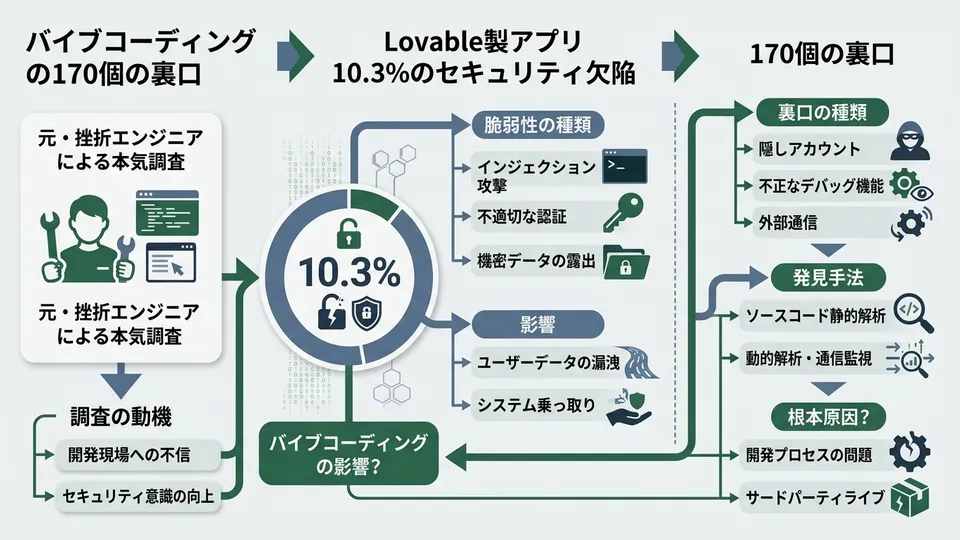
According to a research report from Superblocks, a scan of 1,645 apps built on the vibe-coding platform Lovable found critical security flaws in 170 of them. That’s 10.3% of all apps scanned. The number of exposed endpoints reached 303.
One in ten. Let that sink in.
The leaked data was even more alarming. Google Maps and Gemini API keys. eBay auth tokens. Users’ personal information. Financial transaction data. The Register reported that a single app exposed the data of 18,000 users.
I’m not writing this to trash Lovable. I wrote yesterday about the “it works but it’s broken” syndrome — and what I described as a theoretical risk had materialized at a scale I never expected. That’s what knocked me sideways.
This article is about exactly what happened, and three steps you can take today to check your own code. The debate over whether to use vibe coding is over. We’ve moved into the phase of figuring out how to use it safely.
CVE-2025-48757: What Actually Happened
Let me break down the technical side in plain language.
This vulnerability was assigned the official identifier CVE-2025-48757. CVE is the global registry for security vulnerabilities — which means this wasn’t just “a small bug.” It’s an internationally recognized, serious problem.
The researcher who found it: Matt Palmer. According to his public statement, he contacted Lovable CEO Anton Osika on March 21st. Lovable acknowledged receipt on March 24th. But no meaningful fix was made within the 45-day disclosure window, so he went public.

The Root Cause: Missing RLS
At the heart of the problem: RLS (Row Level Security) wasn’t configured.
RLS is the mechanism that controls database access at the row level. It’s what lets you say “this user can only see their own data” or “only admins can view everything.” Without it, the database is basically wide open.
Lovable uses Supabase as its backend. The authentication token used to connect to the database (the anon key) lives in the frontend JavaScript — which is fine by design, as long as RLS is properly configured.
But Lovable’s AI wasn’t setting RLS policies when it created database tables. It would create the table. It would wire up reads and writes. But the rules about who’s allowed to access what? Left blank. The result: anyone with the anon key could read and write every row in the database.
SecurityOnline covered this structural issue in detail.
Speaking as someone with a CS background: this is exactly like building a proper login page for a web portal while leaving a URL that gives anyone admin access if they type it directly. The front door is locked. The back door is wide open. That’s why I’m calling these “170 back doors.”
Lovable 2.0’s “Security Scan” Wasn’t Enough
Lovable released “Lovable 2.0” on April 24, 2025, with a built-in security scanner. But analysis from desplega.ai found that the scanner only checked whether RLS was enabled — not whether it was working correctly.
So a Swiss-cheese RLS policy would still show up as “configured.” Users got a false sense of security. Critics called it a band-aid, not a fix.
This Isn’t Just a Lovable Problem — It’s a Structural Flaw in Vibe Coding
“I don’t use Lovable, so this doesn’t affect me.” I thought the same thing at first. Then I kept digging.
Escape.tech’s research is sobering. They didn’t just look at Lovable — they analyzed 5,600+ apps across multiple platforms including Base44, Create.xyz, and Bolt.new. (Worth noting: about 4,000 of those apps were Lovable-built, so there’s a sampling bias to keep in mind across platforms.)
Here’s what they found:
- More than 2,000 vulnerabilities discovered
- Over 400 exposed secrets (API keys, passwords)
- 175 cases of leaked PII — including medical records, bank account numbers, phone numbers, and email addresses
A report from Getautonoma puts it even more bluntly: 53% of AI-generated code has security holes. More than half.
Why AI “Forgets” to Set Up Security
Here’s the core question.
AI is genuinely excellent at writing code that works. Tell it to build a user registration feature and it’ll wire up the form, validation, and database writes in one shot. But security configuration doesn’t affect whether the thing runs — so unless you explicitly ask for it, it gets skipped.
An app without RLS still works. Data still saves. The UI still renders. It’s the “it works but it’s broken” syndrome in its most literal form.
Remember the Slack Bot example I wrote about yesterday — the one without SQL injection protection? The structure is identical. AI implements features. It doesn’t implement defenses. Because nobody asked.
A guide from vietanh.dev identifies this asymmetry between feature implementation and security implementation as the fundamental problem with vibe coding.
# Example of code AI generates when asked to "build user registration"
# Functionally perfect. But RLS isn't set.

# Supabase table creation (what AI tends to generate)
# → RLS policies empty = anyone can access
create_table_sql = """
CREATE TABLE users (
  id UUID PRIMARY KEY DEFAULT gen_random_uuid(),
  email TEXT NOT NULL,
  name TEXT,
  created_at TIMESTAMPTZ DEFAULT now()
);
"""

# The safe version: enable RLS from the start
secure_table_sql = """
CREATE TABLE users (
  id UUID PRIMARY KEY DEFAULT gen_random_uuid(),
  email TEXT NOT NULL,
  name TEXT,
  created_at TIMESTAMPTZ DEFAULT now()
);
-- Enable RLS
ALTER TABLE users ENABLE ROW LEVEL SECURITY;
-- Policy: authenticated users can only read their own data
CREATE POLICY "users_read_own"
  ON users FOR SELECT
  USING (auth.uid() = id);
"""
These two code blocks behave identically as far as registration goes. Both save users to the database. But the first one is “back door wide open.” The second is “locked.” A handful of extra lines is the difference between safety and an 18,000-person data breach.
3 Self-Checks You Can Do Right Now
Now for the practical part. Here are three steps you can take today to answer the question: “Is my code safe?”
Check 1: Review Your Tables in the Supabase Dashboard
If you’re using Supabase, log into the dashboard. Open “Table Editor” from the left menu and look at the “RLS” column for each table. If any table shows “Disabled,” that’s a back door.
Three steps:
- Log in to your Supabase dashboard
- Go to “Authentication” → “Policies” in the left menu
- Confirm that each table has at least one policy configured
If any table has zero policies, that needs fixing. And watch out for this: a table can have RLS “Enabled” with no actual policies — which means it looks protected but is effectively wide open. That’s exactly the pattern Lovable 2.0’s scanner missed.
Check 2: Search Your Frontend Source for API Keys
Open browser dev tools (F12), go to the “Sources” tab, and search through the JavaScript files. Look for these strings:
// Keywords to search for in browser dev tools
// If any of these show up, that key is exposed

sk-          // OpenAI API key prefix
AKIA         // AWS access key prefix
AIza         // Google API key prefix
ghp_         // GitHub personal access token
stripe_sk_   // Stripe secret key
Finding Supabase’s anon key is fine — it’s designed to be public. The problem is if any of the secret keys above are embedded in your frontend. If they are, move them to environment variables immediately.

Check 3: Ask AI to Review Your Code From an Attacker’s Perspective
I mentioned this approach in yesterday’s article, but here’s a more specific prompt given today’s context:
Please review this application's security
from the perspective of an attacker.
Focus especially on these three areas:

1. Database access control
   (Are RLS policies properly configured?)
2. Exposure of API keys and secrets
   (Are any embedded directly in the frontend?)
3. Sanitization of user input
   (Are SQL injection and XSS defenses sufficient?)

For each area, if vulnerabilities exist,
please show specific code fixes.
The key phrase is “from the perspective of an attacker.” That one addition shifts AI responses from “looks fine” to “here’s how this could be exploited.” Also important: do this in a separate session. Ask the same AI that generated the code to review it in the same conversation and you get exactly what you’d expect — a self-serving review.
The “Should We Use It?” Debate Is Over
Let me zoom out for a second.
Semafor described Lovable as “a sitting duck for hackers.” A headline like that makes it easy to conclude “vibe coding is just dangerous.”
But I don’t see it that way.
Think about the history of web development. In the 2000s, PHP-built sites were riddled with SQL injection. WordPress vulnerabilities still get reported every month. That didn’t lead to “stop using PHP” or “stop using WordPress.” The tools matured. Best practices were established. Security became standard equipment.
Vibe coding is following the same arc.
And things are already moving. Escape.tech closed an $18M funding round and is building a security scanner specifically for vibe-coded apps. VibeEval launched as an automated security testing service tailored for Lovable.
The tools are evolving too. Claude Code is adding security risk warnings. Cursor is moving toward surfacing risks during code generation. GitHub Copilot’s new metrics API enables quality tracking for AI-generated PRs.
The “should we use it?” phase is long past. Barrack AI’s roundup counted 20 AI app data breaches since January 2025. The root causes are nearly identical across all of them: missing access controls, exposed secrets, insufficient input validation. When the causes are this consistent, the fixes are knowable.
The question isn’t “is vibe coding dangerous?” It’s “does your code have back doors open right now?”
Connecting Back to Yesterday’s Article
Yesterday I wrote about three pitfalls of the “it works but it’s broken” syndrome: security holes, code you can’t explain, and castles built on sand without tests. I also introduced VibeContract as a way to address them.
The Lovable incident is a real-world, large-scale version of that first pitfall — security holes. And the thing I described as a theoretical risk? It played out across 1,645 actual apps.
Here’s the thing: one line added to the VibeContract YAML I mentioned yesterday could have prevented a lot of this.
# Lines to add to vibecontract.yaml
contracts:
  - "Enable RLS on all tables and configure appropriate access policies"
  - "Retrieve API keys from environment variables — never hardcode them in the frontend"
  - "Always process user input with parameter binding"
“It’s in the contract, so the AI sets it up automatically.” With that mechanism in place, a large portion of those 170 back doors would have been closed before they ever opened. Keep the speed of vibe coding, protect the quality. Yesterday’s article and today’s together give you the full picture.

Wrap-Up: Closing the Back Doors Is Your Call
Here’s what 170 back doors teach us:
- What happened: 170 of 1,645 apps (10.3%) had vulnerabilities from missing RLS. API keys, personal data, and financial data were exposed.
- Why it happened: AI builds things that work, but skips defenses unless explicitly told not to. A structural problem common to vibe coding as a whole.
- What you can do today: Check your Supabase table policies, search your frontend for exposed keys, ask AI for an attacker-perspective review.
- Longer-term fix: Pre-define security requirements as “contracts” in VibeContract.
I’m the kind of person who lives by “if it works, ship it.” That hasn’t changed. But leaving a back door wide open is a different story. The feeling of having a great engineer living inside my head is real — but that doesn’t mean security judgment comes pre-installed.
I used to think I could never compete with professional engineers. Maybe I still can’t when it comes to deep architectural design. But “checking whether my own app has back doors” is something I can do. The three checks I walked through today take five minutes, no professional experience required.
Vibe coding is a powerful tool. But swinging it around with the safety off only gets you hurt. 170 back doors aren’t evidence that vibe coding is dangerous. They’re a signal that it’s time to learn how to use it safely.
Go check your app’s back doors today. Five minutes. That’s all it takes.

正直、一度エンジニアは諦めました。新卒で入った開発会社でバケモノみたいに優秀な人たちに囲まれて、「あ、私はこっち側じゃないな」って悟ったんです。その後はカスタマーサクセスに転向して10年。でもCursorとClaude Codeに出会って、全部変わりました。完璧なコードじゃなくていい。自分の仕事を自分で楽にするコードが書ければ、それでいいんですよ。週末はサウナで整いながら次に作るツールのこと考えてます。