What Cursor AI 3.0 Changed Wasn't "Writing Speed." Design Mode Has Started Dissolving the Walls Between Job Roles
**Concept framing**: "The walls between job roles are dissolving"
What you'll learn in this article
- The key point to grasp before reading the full article
- How the issue changes the way developers should work next
- Which follow-up article is worth opening next
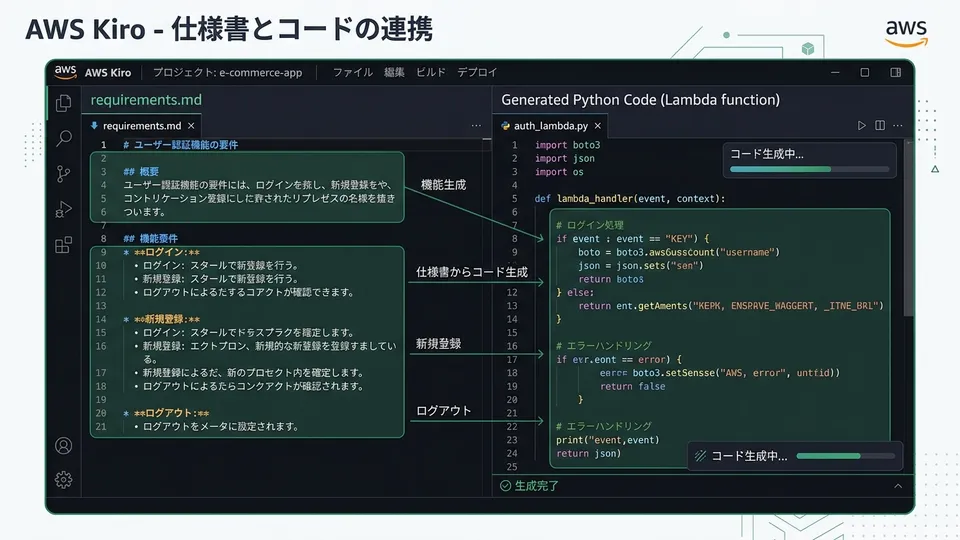
Concept framing: “The walls between job roles are dissolving”
On April 2nd, Cursor released version 3.0.
“Another new feature?” you might be thinking. That’s exactly how I felt at first. Cursor has been pushing out updates non-stop for the past year, and keeping up has become exhausting.
But this time was different.
The moment I touched Design Mode, the headline feature of 3.0, my gut told me: “This isn’t an update for engineers.” Designers and PMs can implement UIs without writing code. Multi-file simultaneous generation lets you build entire projects in one shot. When tests fail, it automatically fixes bugs and re-runs them.
If you’re wondering, “So what actually changed?”, this article is your answer—an impact assessment organized by job role.
As a CS (customer success) background guy who once gave up on becoming an engineer, I’ll break down Cursor 3.0 from the angle of: “Whose job does this actually change?”
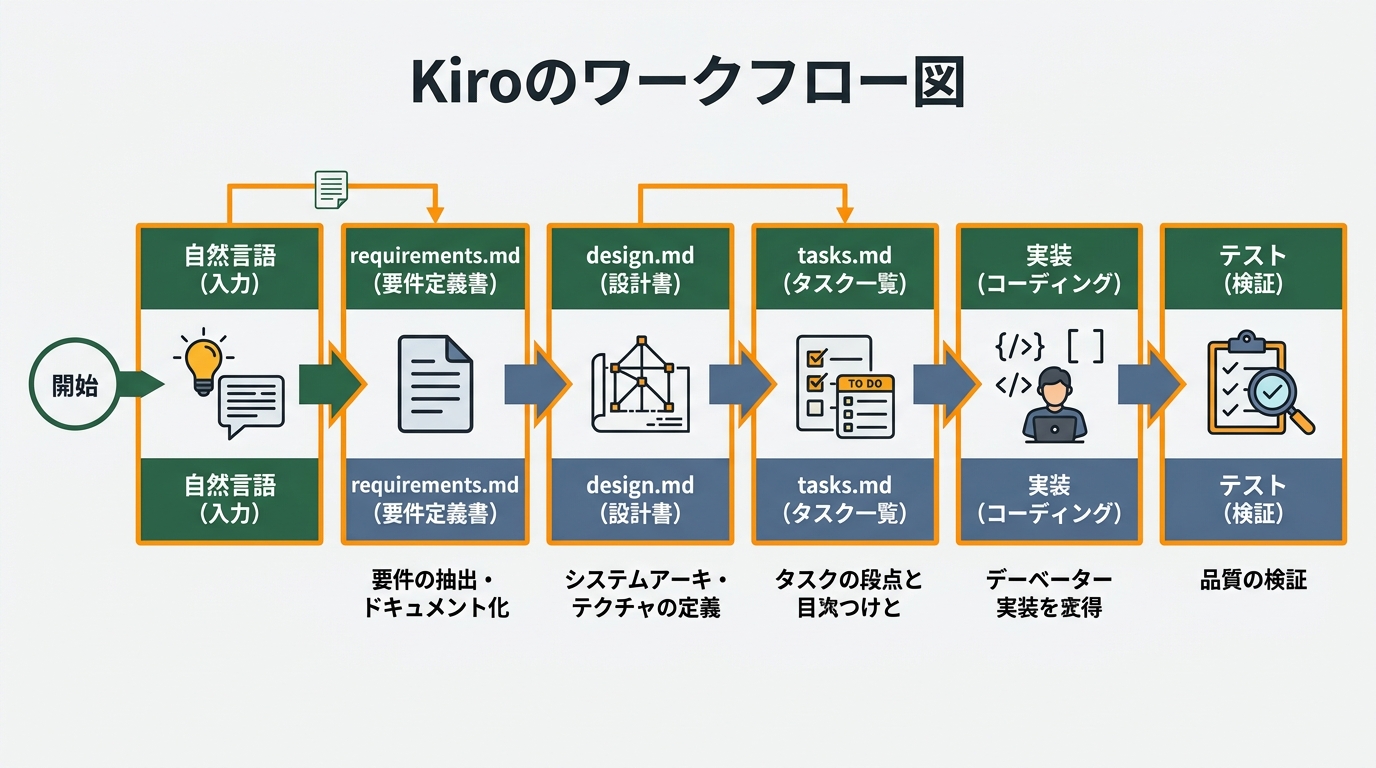
The 3 Things That Changed in Cursor 3.0
Let’s start with the big picture.
Cursor 3.0 has three major features: Design Mode, multi-file simultaneous generation, and the test → bug-fix auto-loop.
Design Mode lets you import design files from Figma or Sketch and convert them directly into React or Vue components. The UI is built without writing any code. The traditional “design → hand off to engineer for implementation” workflow could fundamentally change.
Multi-file simultaneous generation means that with a single instruction like “build a user authentication feature,” it generates backend API routes, frontend form components, test files, and type definitions all at once. The previous “talk to it one file at a time” model has shifted to “batch generation at the project level.”
The test → bug-fix auto-loop runs tests, and when errors appear, it automatically generates fixes and re-runs them in a loop. The cycle of “wrote code → it doesn’t work → ask Cursor → try again → still doesn’t work” is now automated.
Enterprise adoption is also accelerating. According to Cursor’s official announcement, more than half of the Fortune 500 already use it in production. The 3.0 release also explicitly states an intent to push expansion into non-engineering roles.
Why are Fortune 500 companies choosing Cursor? I’ll get to that answer in the second half.
Whose Job Does Design Mode Change?
What makes Design Mode interesting isn’t that it “speeds up engineers”—it’s that “people who aren’t engineers can now produce code.”
What does this mean? Let’s look at it by job role.
Designers: The Day “Implementation Handoffs” Disappear
Until now, a designer’s job ended at completing the design in Figma and handing it to an engineer with a “please implement this.” How it actually got built came down to the engineer’s interpretation.
“The border radius isn’t quite right.” “The hover animation is missing.” These feedback cycles would bounce back and forth multiple times. It’s not that engineers were being negligent—failing to accurately read design intent is also a problem with how information gets communicated. These misalignments became a hidden bottleneck in development speed.
With Cursor 3.0’s Design Mode, you just drag a Figma file into Cursor and get pixel-perfect React components. It even reads Figma’s prototype information to automatically reproduce animation settings. Designers can become the “final reviewers of the code.”
A designer friend of mine who specializes in UI/UX gave it a try, and the results were striking. The cycle of Figma → React conversion → implementation check → micro-adjustments could now happen within a single day. Previously, it took 2–3 round trips spanning three days.
That said, “code quality control” is a separate matter. You still need to verify that the generated code actually works correctly, and coordination with engineers doesn’t drop to zero. The “verification overhead” remains, but the “rebuild overhead” is drastically reduced.
PMs: You Can Now “Build It Yourself”
One of the headaches that product managers (PMs) deal with is the cost of building “working prototypes.”
You can show screen transitions with Figma prototypes. But “what actually happens when you fill in the form” or “how it looks when the API response is slow”—those things you can’t verify without an engineer building it.
When this becomes a bottleneck, requirements definition gets stuck in limbo. The “wait until engineering bandwidth opens up” state drags on, and spec changes pile up afterward. Frequent spec changes lead to engineer frustration, which cracks team trust. PMs may have genuinely wanted to verify earlier, but they had no means to do so.
With Cursor 3.0, a PM can use Design Mode themselves to build prototypes interactive enough to manipulate as a mockup. You can verify “does this screen actually communicate the idea” before development starts. PMs now have a tool to find their own answers before asking engineers.
Personally, this is the part that got me most excited. Client demo prep, internal approval workflows, user interview design—PMs can now wrap these up on their own. Being able to “show something working first, verify, then proceed” at low cost changes the speed of the entire development process.
Frontend Engineers: “Tasks” Become “Design”
From a frontend engineer’s perspective, the biggest shift in 3.0 is “where you spend your time.”
Until now, nearly half of coding time was spent staring at design mockups, measuring “what’s this padding?” or “is this font-weight 300 or 400?” Marking up, applying styles, handling responsive layouts—these are “tasks,” not “design.”
When Design Mode automates the design conversion, the time engineers spend shifts to “component architecture,” “performance optimization,” and “accessibility verification.” This change feels less like “things got easier” and more like “I can finally focus on the work I should actually be doing.”
The shift to “let AI handle the design conversion, and I’ll think about architecture” also changes how I see my career as a frontend engineer. We’ve entered an era where judgment about “how to architect things” is worth more than the skill of pixel-perfect implementation.
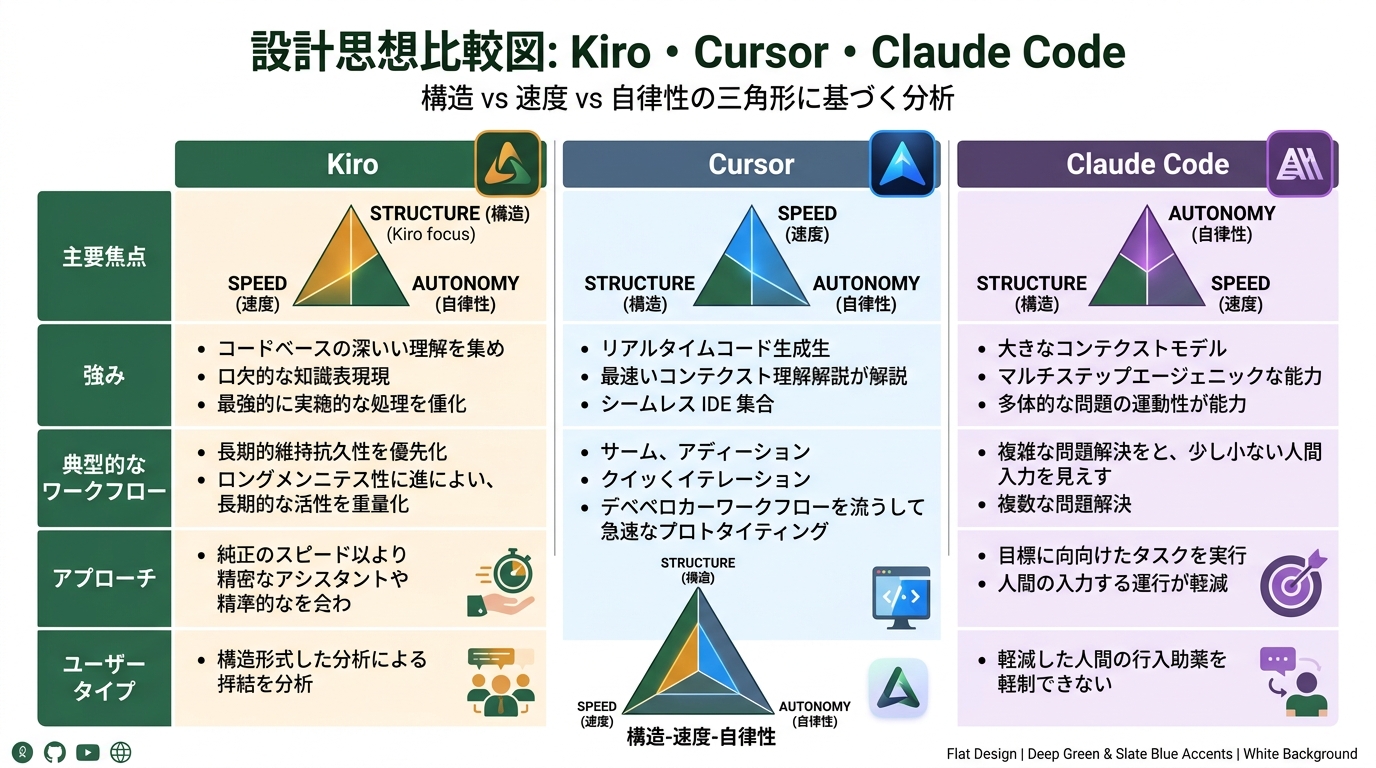
Actually Trying Multi-File Simultaneous Generation
I typed in: “Build a Slack message send feature.”
With previous Cursor, I’d build the backend endpoint, build the frontend form, build the type definitions, build the tests—talking to it one file at a time. In my experience, this loop took 1–2 hours. Often I’d realize halfway through, “ah, forgot the type definitions,” and have to backtrack and add them.
So what happened with 3.0’s multi-file generation?
After about one second of processing, the following files were generated all at once:
src/
  api/
    messages/
      route.ts          # POST endpoint (with validation)
      route.test.ts     # Tests for the API route
  components/
    MessageForm.tsx     # Message send form component
    MessageForm.test.tsx # Component tests
  types/
    message.ts          # Message type definition
  hooks/
    useMessageSend.ts   # Custom hook for send logic
Comments were thoroughly included. Type definitions were shared between MessageForm.tsx and route.ts. Validation was unified between frontend and backend using zod.
“This would’ve taken me 2–3 hours from scratch,” I thought.
That said, it wasn’t all smooth sailing. It diverged slightly from my project’s existing directory structure. The folder naming conventions were different. Manual fixes were needed there.
“Something that works perfectly comes out” is wishful thinking. “A working base comes out, and you refine from there” is the more accurate description. Still, the time it takes to write from scratch versus refine is in totally different leagues.
A tip for boosting accuracy: passing in information about your existing project structure works well. When I provided context like “the existing directory structure is X, we use Tailwind for styling, the API follows REST,” the divergence shrank. How you pass context to Cursor is the same as instructing any AI: “context matters.”
Test → Bug-Fix Auto-Loop Experience
This was the moment that most changed my mental model.
Looking back at my old development style: write a test, run it, get an error, paste it into Cursor, receive a fix proposal, apply it, run it again. I was running this loop myself. “Lost an hour dealing with errors” was a daily occurrence.
With 3.0, when you say “keep fixing it automatically until tests pass,” Cursor runs the loop autonomously.
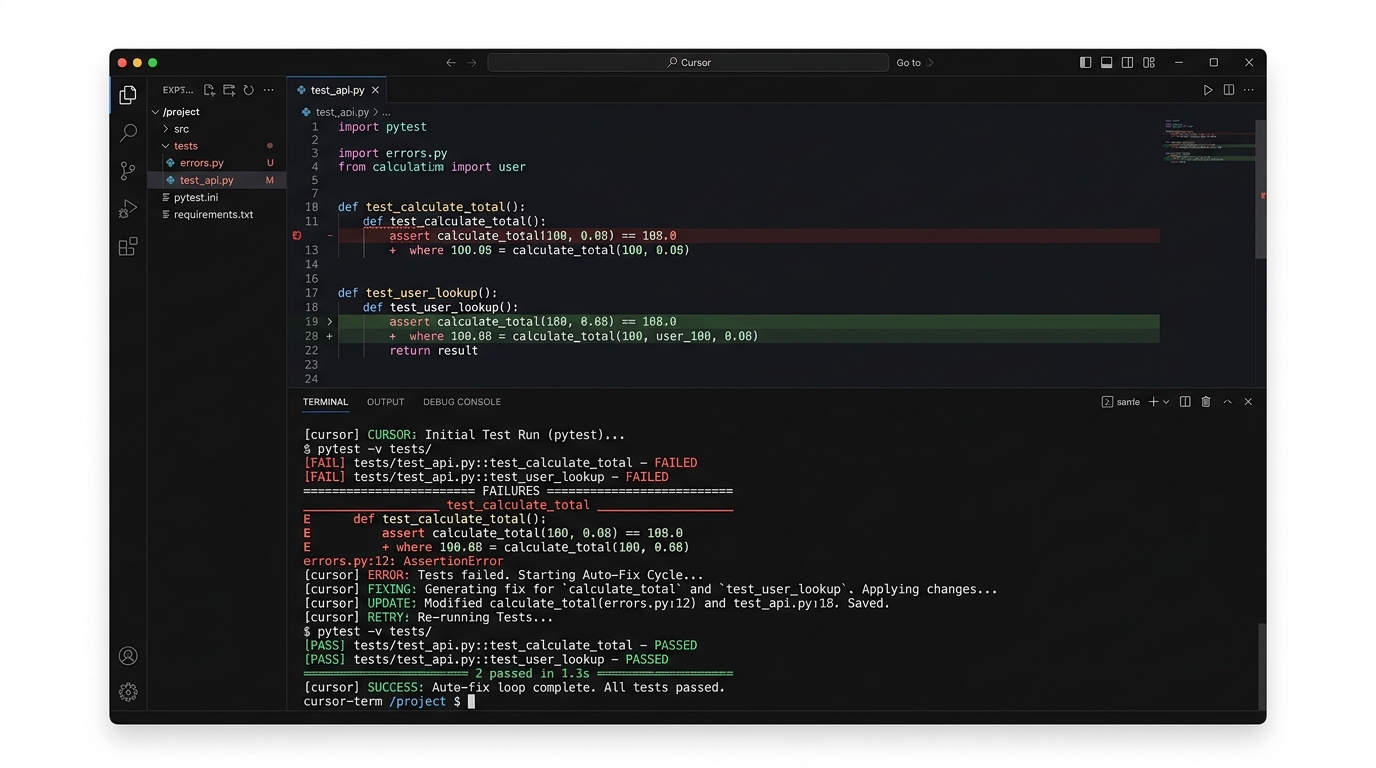
Here’s what happened in the case I tried. I ran the tests for an authentication feature, and got an error. The cause was JWT (JSON Web Token—a token-based authentication standard) expiration validation. Cursor automatically read the error, applied a fix, and re-tested. On the second run, a different error popped up. Mock setup was insufficient. It auto-added the missing pieces and re-ran. On the third run, all tests passed.
The only thing I did was type “keep going until they pass” once at the start.
What does this mean? The work of “bug-fix trial and error” no longer consumes my own context. The cognitive load of reading error messages, hypothesizing causes, and trying fixes drops to zero. Freed from that, I could focus on higher-level judgment like “is this test design sufficient?” and “where is coverage lacking?”
That said, there are obviously complex bugs that won’t be solved by three loop iterations. Architecture-level issues, or bugs that depend on external API behavior, don’t get auto-fixed. I also confirmed the “stops gracefully when it can’t handle the situation” behavior. It’s reassuring that it doesn’t go into infinite loops.
The line between “what gets automated” and “what I judge myself” has become much clearer in 3.0. Let AI handle low-level debugging; humans handle high-level design judgment. This division of labor feels like the next phase of vibe coding (the development style of writing code alongside AI).
Why More Than Half of the Fortune 500 Adopted It
Cursor had an “individual developer tool” image. Why has it penetrated large enterprises?
According to Cursor’s official statements, the most-cited deciding factor for enterprise adoption is “security and privacy compliance.” Privacy mode that prevents source code from being used as training data, on-prem deployment options, SOC 2 Type II compliance. These cleared the bar for enterprise adoption.
Another reason is “extensibility to non-engineers.” Cursor was originally a VS Code-based engineering tool. With 3.0’s Design Mode, it became a tool that designers and PMs use daily. ROI as “a tool for the entire development team” became easier to justify.
That said, whether Fortune 500 adoption is “a good thing for individual developers” is a separate question. As enterprise features expand, the gap between the individual plan and enterprise plan could widen. I see Cursor’s direction as “support individual plans with enterprise revenue,” but how the pricing structure evolves is something to watch.
When combined with AWS Kiro’s “spec-driven development,” you get the complete flow of “design specs in Kiro → implement in Cursor 3.0” (for details, see the previous article). Cursor handles implementation speed, Kiro handles quality. This two-tool combo is what I see as the current best answer for “vibe coding 2.0.”
One Task You Can Change This Week (Actions by Role)
It would be rude to readers if I didn’t tell you “so what should you actually do,” so here are “one task you can change this week” broken down by role.
If you’re a designer: Set up the Design Mode integration in Figma and try converting one existing screen to React. Just check the conversion accuracy. The “can I actually use this?” judgment can come after you try it. You don’t need to attempt converting all your screens right away.
If you’re a PM: For your next user interview, build a clickable prototype yourself using Design Mode. Just loading a Figma prototype into Cursor and converting it to HTML gives you a “working verification environment.” Having “something they can actually touch” before the interview totally changes user reactions.
If you’re a frontend engineer: Try multi-file generation for your next component creation. Properly pass context with prompts like “build a full set of components for the X feature. The existing directory structure is Y, and we’re using Tailwind for styling.” How accurately you pass context directly affects the accuracy of what’s generated.
If you’re a backend engineer: Try the test auto-loop on your next bug-fix session. Just type “run this test file and auto-fix until it passes.” Checking how far it gets autonomously on your own project is the fastest evaluation method.
For every role, “try one thing first” is the first step. If you think “once I master all the features,” you’ll never start. I’ve spent years missing opportunities that way, so I’m flagging it up front.
Summary: Cursor 3.0 Has Outgrown “Engineer’s Tool”
What changed in Cursor 3.0 isn’t just “how fast you can write code.”
What changed:
- Design Mode: Designers/PMs can now build working prototypes without sending “implementation requests” to engineers
- Multi-file simultaneous generation: Shifted from “one-file dialog” to “project-level batch generation,” changing the very concept of implementation cost
- Test auto-loop: Bug-fix trial and error is automated, lowering engineers’ cognitive load
What hasn’t changed:
- Complex architecture decisions still belong to humans
- Reviewing generated code can’t be skipped
- The importance of “prompt design” to convey project-specific context remains unchanged
What I felt after actually using it is: “the walls between job roles are starting to dissolve.” The role split of “designers do design, engineers do implementation” was largely created by tooling constraints. Those constraints are beginning to come off.
I don’t yet fully understand what this means. Will ways of working change? Will team composition change? Rather than predict, I think the only way is to use it and see.
“Just build something that works, then think about it” is Gen’s development philosophy. Take the same stance with Cursor 3.0. A feature you can try today might change how tomorrow’s work looks.
Build the habit of “writing specs first” with AWS Kiro, and “push implementation through fast” with Cursor 3.0. This two-tool combination is, in my view, one of the answers for vibe coding in 2026.
- Image directives: 4 (eyecatch × 1, screenshot × 1, comparison × 1, screenshot × 1, diagram × 1)

正直、一度エンジニアは諦めました。新卒で入った開発会社でバケモノみたいに優秀な人たちに囲まれて、「あ、私はこっち側じゃないな」って悟ったんです。その後はカスタマーサクセスに転向して10年。でもCursorとClaude Codeに出会って、全部変わりました。完璧なコードじゃなくていい。自分の仕事を自分で楽にするコードが書ければ、それでいいんですよ。週末はサウナで整いながら次に作るツールのこと考えてます。