Still consulting Cursor 2 one-on-one? I tried every Cursor 3 feature — parallel agents and Design Mode turned development into a different game
Hands-on review of every Cursor 3 feature released April 2, 2026. Parallel agents, Design Mode, /worktree, and Bugbot — a practical report from a former dropout engineer's perspective
What you'll learn in this article
- The key point to grasp before reading the full article
- How the issue changes the way developers should work next
- Which follow-up article is worth opening next

With Cursor 3, the meaning of “IDE” changed
On April 2, Cursor released version 3.
If you thought “oh, just a UI refresh,” hold on. This update is different at the root. Cursor stopped being an editor and became a “conductor’s podium for agents.” That’s my honest take nine days after the release.
I’m someone who once gave up on being an engineer. I stepped away from code for a few years, and AI is what brought me back to development. When I started using Claude Code, it felt like an elite engineer had taken up residence inside me. What Cursor 3 did, I think, is expand that “possession experience.” Instead of one engineer, eight inhabit you at once.
In this article, I’ll touch every major feature of Cursor 3 and report what actually changed. Nine days after release, comprehensive hands-on reports in Japanese are still rare. As someone who got there early, I want to share the pitfalls too.
Parallel agents. A world where eight AIs write code simultaneously
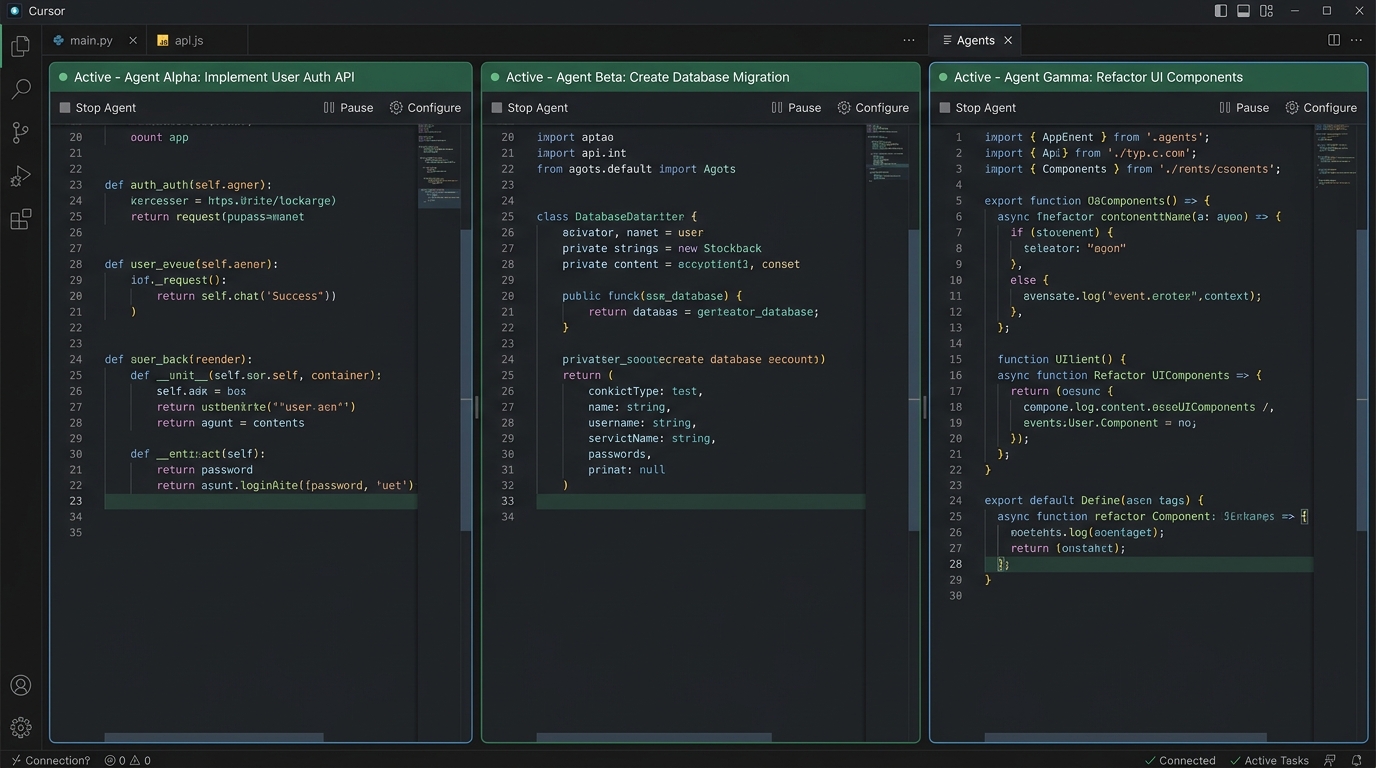
The headline feature of Cursor 3 is the Agents Window. Cursor up until now was built around “one chat, one agent, one task.” Ask, wait for the answer, ask the next thing. A waiting line.
Cursor 3 tears that limit down. You can run up to eight AI agents in parallel.
Here’s the kind of usage that becomes possible:
- Agent A: Refactor the authentication module
- Agent B: Write tests for the API endpoints
- Agent C: Fix the frontend CSS
All running at the same time. Each agent shows up as an Agent Tab, displayed side-by-side or in a grid. It feels like watching eight engineers work across an eight-monitor setup.
Pitfall: parallel execution can trigger Git conflicts
Let me share a pitfall I hit early.
When eight agents touch the same files, Git conflicts are inevitable. Cursor 3 solves this with isolation via Git Worktree. Each agent works on its own branch, so the changes never mix.
One thing to watch: worktree integration is manual. After agents finish, you merge it yourself. If you expect “fully automatic,” you’ll be disappointed.
# Example of a worktree auto-generated by Cursor 3
# Each agent works on an isolated branch
git worktree list
# /project              abc1234 [main]
# /project-agent-1      def5678 [agent/refactor-auth]
# /project-agent-2      ghi9012 [agent/api-tests]
The other use case for parallel execution is the /best-of-n command. You send the same prompt to multiple AI models simultaneously and compare the results. Throw the same task at Claude, GPT, and Gemini, then pick the best code. In vibe-coding terms, you’re “getting competing quotes from AIs.”
Design Mode. “Fix this here” gets through without a screenshot
The Agents Window in Cursor 3 has Design Mode built in.
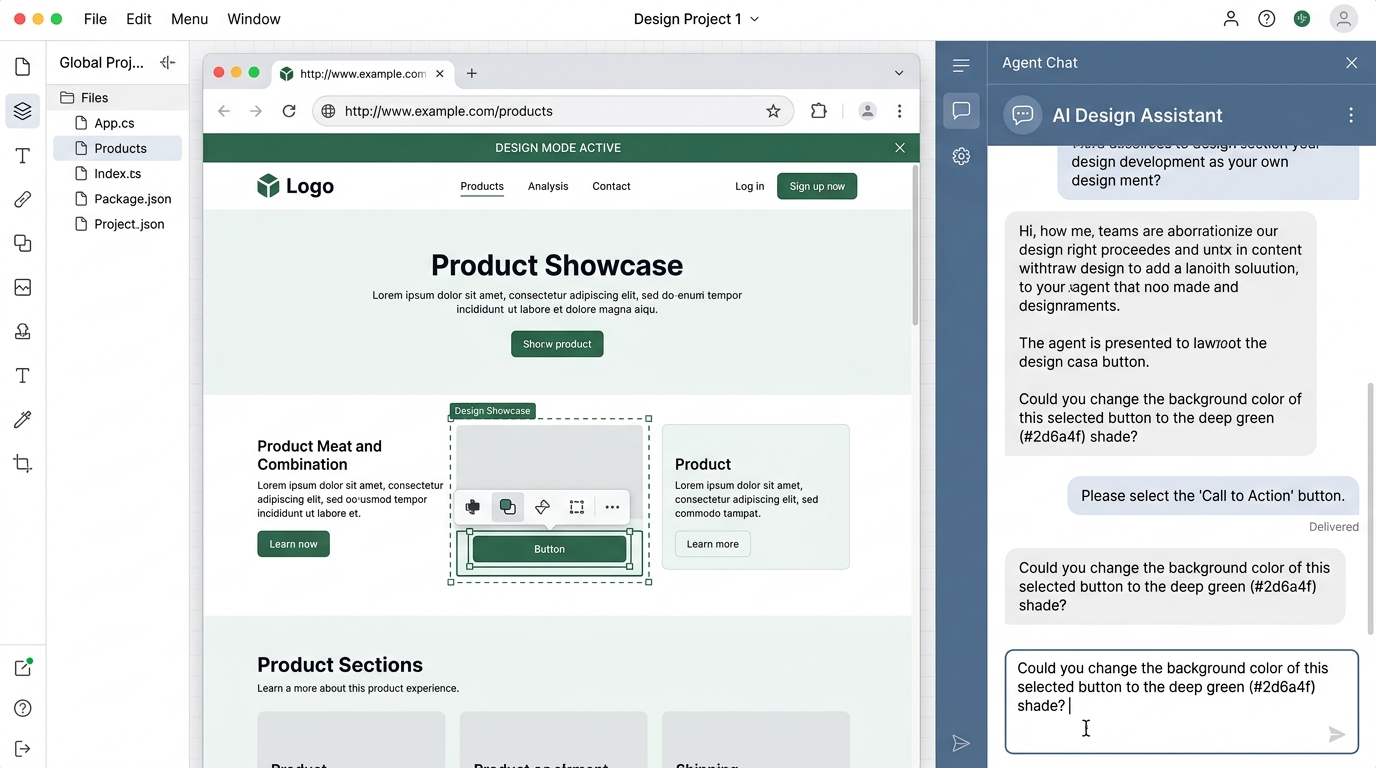
What is it? A feature that lets you annotate UI elements directly in the browser and instruct AI from there. Until now, you had to describe in text — “change the color of the button to the right of the header” — or take a screenshot and paste it in.
With Design Mode, you open your local site in the built-in browser. Click the element you want to fix and give the instruction right there. The agent reads the DOM and modifies the matching CSS for you.
Why Design Mode hits especially hard for someone with a CS background
After I dropped out of engineering, I worked in customer success and listened to thousands of user voices. “This is hard to use.” “I can’t find this button.” That kind of feedback.
When I passed that feedback to engineers, I always struggled. Take a screenshot, circle the spot in red, add text to explain — and even then, sometimes it didn’t get through.
Design Mode is exactly the feature that erases that “translation gap.” Even non-engineers can just say “here” by pointing. I’m convinced this is a feature that widens the reach of vibe coding.
I actually tried it on an internal dashboard UI fix. The instruction: “Move the legend to the right, font size 14px.” It auto-analyzed the DOM and rewrote the CSS. Total time: 30 seconds. The era of digging through DevTools for class names feels distant.
/worktree and /best-of-n. A “it’s okay to fail” mechanism arrived
The biggest anxiety in vibe coding is “what if the AI generates weird code and breaks something?”
Cursor 3 added two safety mechanisms for this.
The /worktree command
Just type /worktree in chat, and an independent Git Worktree branches off your current repo. All agent changes happen in this isolated environment, so the main branch never gets dirty.
# Example of giving instructions to an agent
/worktree
"Rewrite the validation on the login screen from scratch."
# → branch agent/worktree-xxxx auto-created
# → Like the result? Merge it. Don't? Just toss it.
What this means in vibe-coding terms: “just try it” is now safe to do. My development philosophy is “make it move first,” and the risk in that “first” has dropped to near zero.
The /best-of-n command
The other safety mechanism is /best-of-n. Send the same instruction to multiple models in parallel, and each model generates a solution in its own worktree. Compare the results and pick the best implementation.
For example, the instruction: “I want to cache the API responses.” Claude proposes Redis. GPT goes with in-memory. Gemini comes at it with browser caching. Pick whichever fits your requirements out of the three.
This is a mechanism that compensates for vibe coding’s weak spot — “I can’t judge code quality.” You no longer have to trust just one AI.
When I tried it for real on a Redis cache implementation, the quality gap between the Claude version and the GPT version was clear. Claude wrote out error handling carefully. GPT was simpler but designed to be easy to extend. Which is the right answer depends on your requirements. The essence of /best-of-n is that you get to choose that “depends on your requirements” yourself.
Bugbot. An era where AI completes the review too
Bugbot was also strengthened alongside Cursor 3.
Bugbot auto-reviews PRs (pull requests). It detects problems and proposes fixes. According to Cursor’s official site, it processes over 2 million PRs per month. The number that 78% of flags are resolved is striking.
How Bugbot works
- Open a PR on GitHub
- Bugbot auto-analyzes the code
- Comments on potential bugs or vulnerabilities
- Proposes fixes as Autofix
- Apply the fix with one click
It plugs into CI/CD (the automated build and deploy pipeline). A world where AI completes the cycle from code to review. Humans only handle the final check.
What I noticed worth flagging
Bugbot’s pricing structure is a bit complex. The Cursor Pro plan ($20/month, around 3,000 yen) is the prerequisite. Bugbot itself adds a fee on top. For team usage, $40/user/month is the ballpark. The pricing details are laid out at Git AutoReview.
For individual developers, the Bugbot usage included in the Pro plan range is probably enough. That said, the 78% resolution rate does not mean “human reviews are no longer needed.” Security and architecture decisions still require humans. I want to be honest about that.
$2B ARR, $60B valuation. The backdrop behind Cursor 3
Why did Cursor 3 come out at this moment? Let me organize the numbers behind it.
The numbers from Anysphere, the company behind Cursor, are staggering. As of March 2026, ARR has surpassed $2B (around 300 billion yen). ARR means annual recurring revenue. From $100M in January 2025, that’s a 20x in two years. It’s being called the fastest scaling in SaaS history.
Valuation is climbing at an absurd pace too.
| Period | Round | Valuation |
|---|---|---|
| Early 2025 | Series C | $9.9B (around 1.5 trillion yen) |
| November 2025 | Series D | $29.3B (around 4.4 trillion yen) |
| March 2026 (reported) | New round in negotiation | $50–60B (around 7.5–9 trillion yen) |
According to multiple overseas media reports in March 2026, a funding round of around $50B is under negotiation. More than 50% of Fortune 500 companies have adopted it. NVIDIA, Uber, and Adobe are on the list.
How did this much growth happen? My read is this.
Cursor 3’s pivot to “agent-first” happened because users were already using it that way. People writing code by hand in an IDE became fewer than people instructing AI to generate code. Cursor 3 is, I think, the result of “redesigning the IDE to match how users actually use it.”
It connects to the CNN Business (April 8) report on rising developer job postings too. Developer work is shifting from “writing” to “directing.” Cursor 3 is a tool that accelerates that shift.

Cloud agents and plugins. Features I haven’t touched yet
There are other features worth attention in Cursor 3. Going deep on everything won’t fit in one article, so I’ll share the gist and “what I want to try next.”
Self-Hosted Cloud Agents
You can hand off an agent session started locally to the cloud mid-flow. Close your laptop and the work continues. Throw a long refactor at it overnight, and the result is waiting in the morning. That kind of usage becomes possible.
For enterprise, it can be hosted inside your own network (see the Cursor official blog). Code never leaves the perimeter. It’s designed for organizations with strict security requirements.
The Await tool
A feature where an agent can wait for background shell commands or sub-agents to finish. Trigger on specific outputs like “Ready” or “Error” and move automatically to the next action.
# Mental model for Await
Agent: runs npm run build
→ Await waits for "Build completed"
→ Detects completion and runs tests automatically
→ Proposes fixes based on the test results
Cursor Marketplace
Hundreds of plugins, including MCP (a common protocol for AI to use tools) and skills. You can launch agents from Slack or GitHub too. Throw a task from your phone and have it process in the cloud.
Conclusion. Why I say “you should just touch it”
Let me organize Cursor 3’s new features.
- Parallel Agents: Up to eight AIs writing code at once. Safely isolated via Agent Tabs and Worktree
- Design Mode: Point directly at UI in the browser to instruct AI. No screenshots needed
- /worktree: Experiment changes in a safe, isolated environment. Main branch stays clean
- /best-of-n: Send the same instruction to multiple models and compare results. Competing quotes from AIs
- Bugbot: Auto-review of PRs and fix proposals. 78% resolution rate
- Cloud Agents: Local-to-cloud handoff. Work continues even with your laptop closed
Pricing stays at $20/month (around 3,000 yen) for the Pro plan. Frankly, getting parallel agents and Design Mode at this price is outrageously good value.
What I felt most strongly after touching Cursor 3 is that the definition of “developer” is shifting. From someone who writes code one line at a time, to someone who instructs multiple AI agents and selects and integrates the results. For me, having dropped out and stepped away from code, this shift is nothing but a tailwind.
The elite engineers I once thought I couldn’t measure up to — now eight of them inhabit me at once. I’m not exaggerating. That’s genuinely how it feels.
Cursor 3 is still only nine days out. If you haven’t touched it, try it this weekend. Open the Agents Window and run two agents in parallel. That alone should be enough to feel it.
My recommendation is the “test creation × refactoring” simultaneous run. I think it’s the pattern that lets you feel the power of parallelism most easily.
The next chapter of vibe coding has begun. You don’t need to rush to catch up, and it’s okay to be late. Just — once you touch it, you’ll think “I should have tried this sooner.” Because I did.
References:

正直、一度エンジニアは諦めました。新卒で入った開発会社でバケモノみたいに優秀な人たちに囲まれて、「あ、私はこっち側じゃないな」って悟ったんです。その後はカスタマーサクセスに転向して10年。でもCursorとClaude Codeに出会って、全部変わりました。完璧なコードじゃなくていい。自分の仕事を自分で楽にするコードが書ければ、それでいいんですよ。週末はサウナで整いながら次に作るツールのこと考えてます。