41% of All Code Is AI-Generated. 3 'Vibe & Verify' Steps to Prevent 1.7× More Critical Issues
AI-generated code now accounts for 41% of all code. But co-authored code hides 1.7× more critical issues. Based on CodeRabbit's 470-PR analysis and METR's RCT data, here's how to practice the next phase of vibe coding—'Vibe & Verify'—in three concrete steps.
What you'll learn in this article
- The key point to grasp before reading the full article
- How the issue changes the way developers should work next
- Which follow-up article is worth opening next

Honestly, there’s nothing quite like the feeling of letting AI write your code.
I’m someone who once gave up on being an engineer. Since I started using Cursor and Claude Code, it feels like a top-tier engineer has taken up residence inside me. In my previous article, I walked through how to delegate even screen operations to Claude Code via Computer Use.
But lately, some unsettling data keeps surfacing.
41% of the world’s code is now generated by AI. That’s 25.6 billion lines. The number comes from GitHub’s Octoverse 2024 report. In the U.S., 92% of developers use AI daily. Vibe coding is no longer anything special.
Here’s where it gets interesting. AI co-authored code contains 1.7× more critical issues. Security vulnerabilities are 2.74× higher. Misconfigurations are up 75%. Code that runs but is fundamentally broken—it’s being mass-produced worldwide.
This article introduces a concept I call “Vibe & Verify.” You write with vibe coding. Then you verify. I’m convinced this two-stage approach is going to become the new standard for the AI coding era.
How Much Can We Really Trust 41% AI-Written Code?
BLUF: 41% of all code is AI-generated. But on quality: of the 61% that passes functional tests, only 10.5% is actually secure.
In 2024, 41% of the world’s code was AI-generated. That figure, published in GitHub’s Octoverse 2024, totals 25.6 billion lines.
Look at this number alone and you stop at “AI is amazing.” That’s where I landed at first too.
But dig a little deeper and the picture shifts. According to CodeRabbit’s analysis of 470 pull requests, AI co-authored code contained 1.7× more critical issues than human-only code. This was published in December 2025.
So what counts as a “critical issue”? Specifically, cases like these:
- Unhandled errors: Exceptions occur, the app silently crashes
- Authentication bypass: Holes that let users access data without logging in
- SQL injection: Vulnerabilities that allow external manipulation of the database
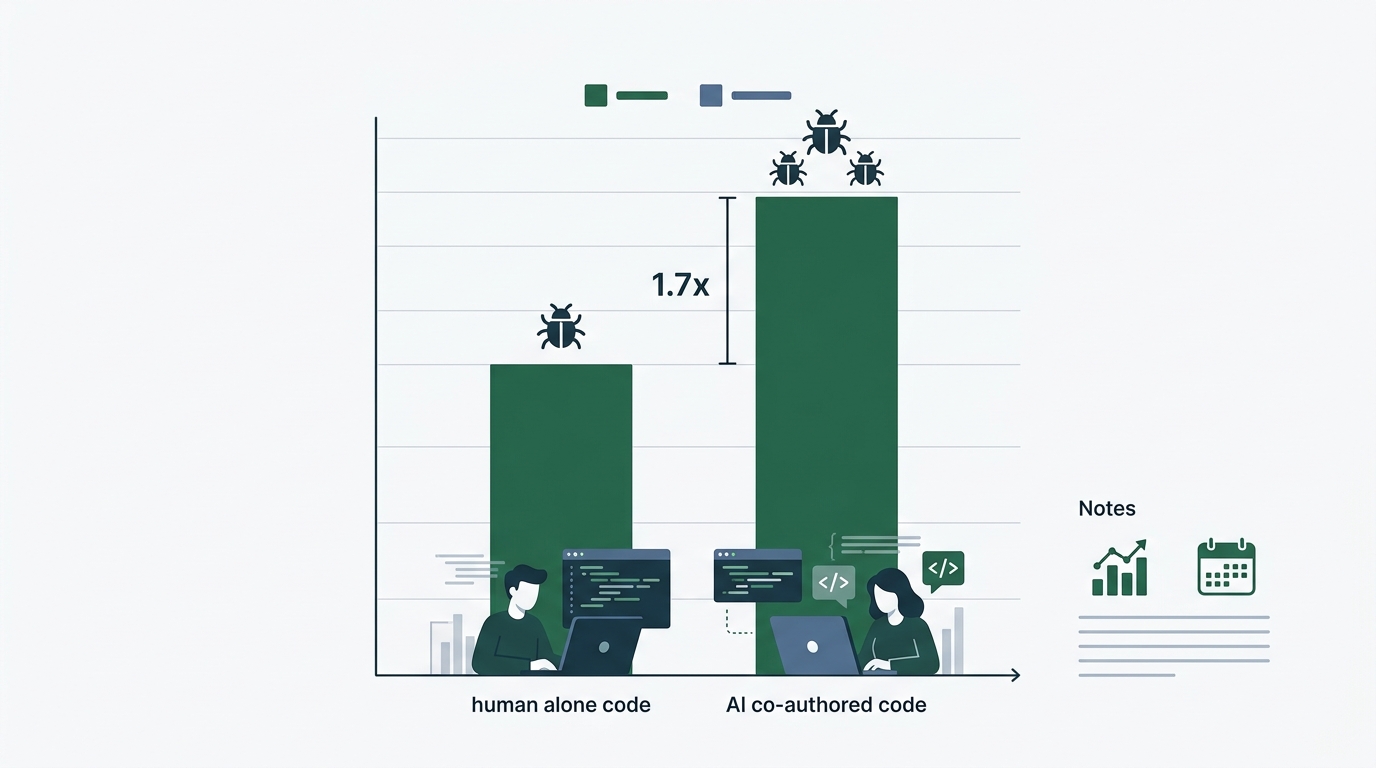
METR’s randomized controlled trial (RCT) produced another fascinating result. Engineers with AI assistance completed tasks 19% slower than those without. The AI that was supposed to speed things up actually slowed them down. The cited cause: “increased review time from taking AI suggestions at face value.”
Having worked in customer success (CS), this dynamic feels oddly familiar. Companies adopt a tool believing “productivity will go up,” and operational costs spike instead. I’ve seen that pattern play out countless times with business software.
The problem isn’t that AI is bad. The problem is the absence of a verification process.
What Is “Vibe & Verify”? Adding Verification to Vibe Coding
BLUF: “Vibe & Verify” is a two-stage approach: let AI write, then verify yourself. It’s the natural evolution of vibe coding, and it’s taking root in 2026.
The term “vibe coding” was coined by Andrej Karpathy in 2025. It means “writing code by feel”—telling AI what you want to build and running whatever it spits out.
This approach was undeniably a game-changer. Someone like me, who’d walked away from code, can ship products again.
But once you scale up, problems emerge.
The Claude Code Computer Use I covered in my previous article lets you automate even screen operations. The more you can do, the more you can miss.
“Vibe & Verify” is the answer to that risk.
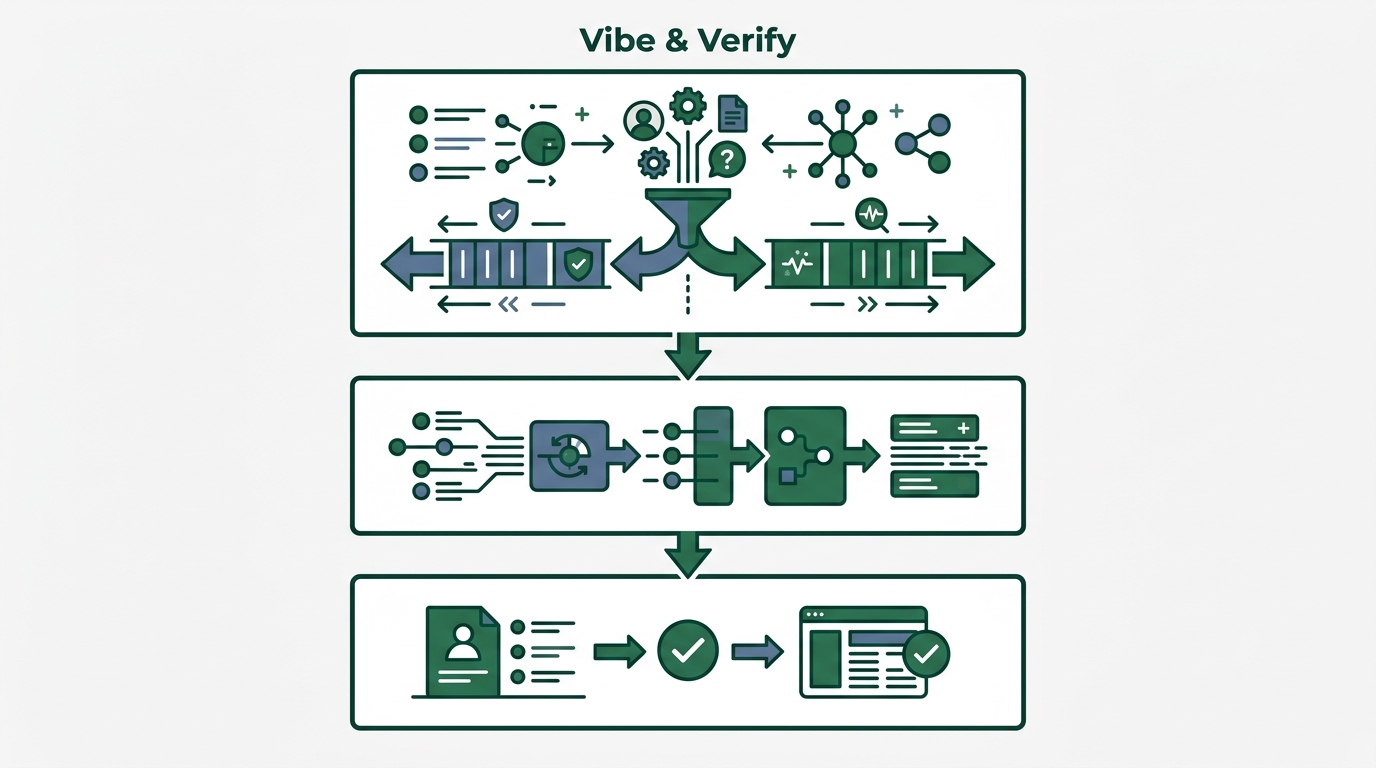
The method is simple. Three steps:
- Vibe: Let AI write. Standard vibe coding.
- Pause: Take a breath. Open a separate session.
- Verify: Verify. Run the three confirmation steps.
You might be thinking, “Wait, verification sounds tedious.”
Honest answer: it is tedious. But the degree of tedium matters. Compared to the tedium of fixing a bug in production, 10 minutes of verification is a cheap investment.
When I was building internal tools, I once shipped a release without tests. The next morning’s standup opened with “the numbers look wrong.” Three hours to trace the cause. Ten minutes of verification would have prevented it.
Verification Step 1: Separate Generation and Verification into Different Sessions
BLUF: Physically separate the session where AI writes the code from the one where you verify it. Reviewing in the same context drags you into AI’s self-affirmation bias.
This is the most important step.
After generating code in Claude Code, never ask “is this code okay?” in the same session. AI tends to validate code it wrote itself. It’s the same reason your own pitch deck always looks great when you review it.
Here are the concrete steps:
# Step 1: Implement the feature with vibe coding (Session A)
claude "Build a user registration API. Include email verification."

# Step 2: Open a new session for verification (Session B)
claude --new-session
# Verification prompt
claude "List 5 security issues in this file: src/api/register.ts"
The key is --new-session. A new session carries none of the prior context. So the AI can review objectively, with no sense of “this is code I wrote.”
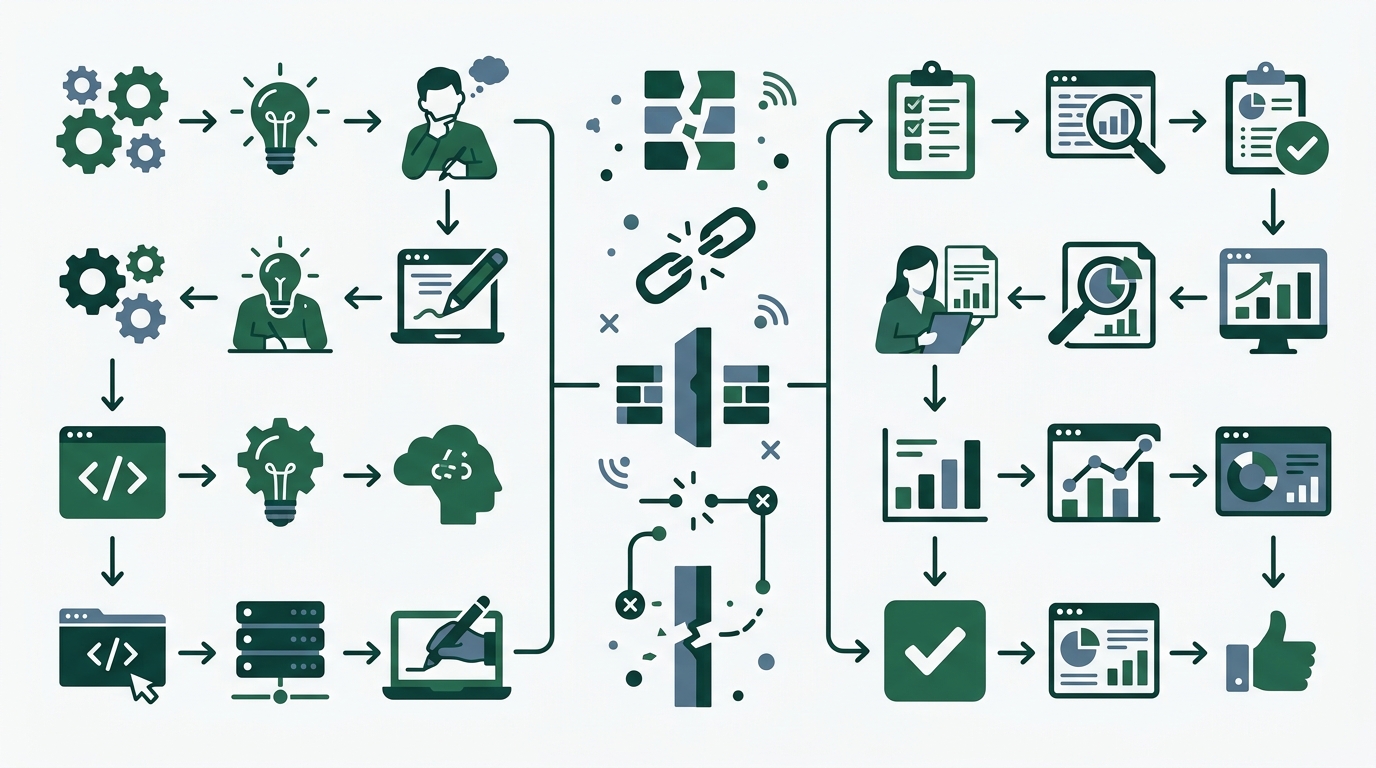
I call this the “sounding-board review.” It’s an application of a technique I used in CS for handling customer complaints. A response written by the person involved gets checked by someone else. The original author inevitably gets defensive, so you need a third-party perspective.
AI has the same structure. The AI in the generating session is “the builder.” The AI in a separate session functions as “the reviewer.”
When you actually try it, the findings come out in surprising volume.
- “There’s no expiration set on this authentication token.”
- “No rate limiting—this is vulnerable to brute force attacks.”
- “The error message includes a stack trace.”
Issues that came back as “no problems” when asked in the same session show up concretely in a separate session. The difference is striking when you experience it firsthand.
Verification Step 2: Make AI Explain “Why It Wrote It That Way”
BLUF: Forcing AI to verbalize the intent behind code dissolves the “it works but I don’t know why” black box. Code that can’t be explained is a red flag.
One of vibe coding’s pitfalls: “it works, but I don’t know why it works.”
I’ve been there many times. Claude Code generates code, I run it, it behaves as expected. Joy. But when future-me looks at this code three months from now, will I understand what it’s doing?
In Step 2, you make AI explain the “why.”
# Confirm the intent of the generated code
claude "For each function in src/api/register.ts,
explain why you chose that implementation approach.
Specifically these three points:
1. Why this validation order
2. Why this error-handling style
3. What other options existed"
If the explanation doesn’t sit right with you, that’s a red flag.
For example, suppose AI says “I made it asynchronous for performance,” but the actual process only does I/O once. Cases like these strongly suggest the AI is fabricating a plausible-sounding reason after the fact.
Conversely, when the explanation holds together logically, it gives you confidence.
It’s also useful to keep the explanation you got as a comment in the code.
// register.ts
// Validation order: email format → duplicate check → password strength
// Reason: Run cheap checks before the DB query (duplicate check) so
// most invalid input gets rejected without hitting the database
async function validateRegistration(input: RegistrationInput) {
  validateEmailFormat(input.email);    // Cheap check first
  await checkDuplicateEmail(input.email); // DB query later
  validatePasswordStrength(input.password);
}
Coming from CS, I understand something deeply: a system that can’t answer “why is it built this way?” when a user asks loses trust. Code is the same.
By the way, this technique works for team development too. Have AI summarize the intent of code you wrote, paste it into the pull request description. Reviewer burden drops dramatically. After I started doing this on internal tool development, review pushbacks dropped by more than half.
Verification Step 3: Auto-Generate One Test per Feature
BLUF: Have AI write tests too. But not “write a test”—ask “think of 5 ways this code could break, then turn each into a test.”
Writing tests is tedious. Honestly, I don’t enjoy it either.
That’s exactly why you delegate it to AI. But how you ask matters.
# Bad: vague request
claude "Write tests for register.ts"

# Good: start from break cases
claude "Think of 5 ways register.ts could break.
For each:
1. What input breaks it
2. Why it breaks
3. Write the test code"
Asking from the angle of “ways to break it” forces AI to analyze the code defensively. Simply saying “write tests” surfaces only happy-path tests. But it’s the failure paths that bite you in production.
// Example "break cases" proposed by AI
describe("User Registration API", () => {
  // Case 1: SQL injection attack
  it("rejects email input containing SQL statements", async () => {
    const malicious = "admin'--@example.com";
    await expect(register({ email: malicious }))
      .rejects.toThrow("Invalid email format");
  });

  // Case 2: Race condition from concurrent registration
  it("fails one side when the same email registers concurrently", async () => {
    const input = { email: "test@example.com", password: "Str0ng!Pass" };
    const results = await Promise.allSettled([
      register(input),
      register(input),
    ]);
    const rejected = results.filter(r => r.status === "rejected");
    expect(rejected.length).toBe(1); // Only one should fail
  });

  // Case 3: Extremely long input
  it("rejects 10,000-character email addresses", async () => {
    const longEmail = "a".repeat(10000) + "@example.com";
    await expect(register({ email: longEmail }))
      .rejects.toThrow();
  });
});
Run these tests, get them all passing, and at minimum the “common ways things break” are covered. Not perfect, but worlds apart from having zero tests.
Total time across all three steps: about 10 minutes. Done in the time it takes to brew a cup of coffee.
A pitfall worth flagging upfront: when you just say “write tests,” AI sometimes gets the import path wrong. The trick is to explicitly pass the target file path. Saying “import src/api/register.ts and write the tests” avoids the path-mismatch problem that causes execution to fail.
Don’t Aim for “Perfect Code.” Aim for “Hard-to-Break Code.”
BLUF: The goal of Vibe & Verify isn’t perfection. It’s guaranteeing “won’t catastrophically break in production.” It preserves the speed of vibe coding while securing a minimum safety floor.
There’s something important I want to say here.
Vibe & Verify is not a tool for perfectionists. It’s not aiming for the kind of robust test suite a professional engineer would write.
My philosophy hasn’t changed: “Just make something that works” comes first. You’re only adding “let’s check it won’t catastrophically break” after that.
Remember the vibe coding pitfall I covered in an earlier article—the CurXecute vulnerability story? The incident where Cursor’s CEO himself admitted to a “fragile foundation.” That issue, too, was the kind of thing that would have been caught by running a security check in a separate session post-generation.
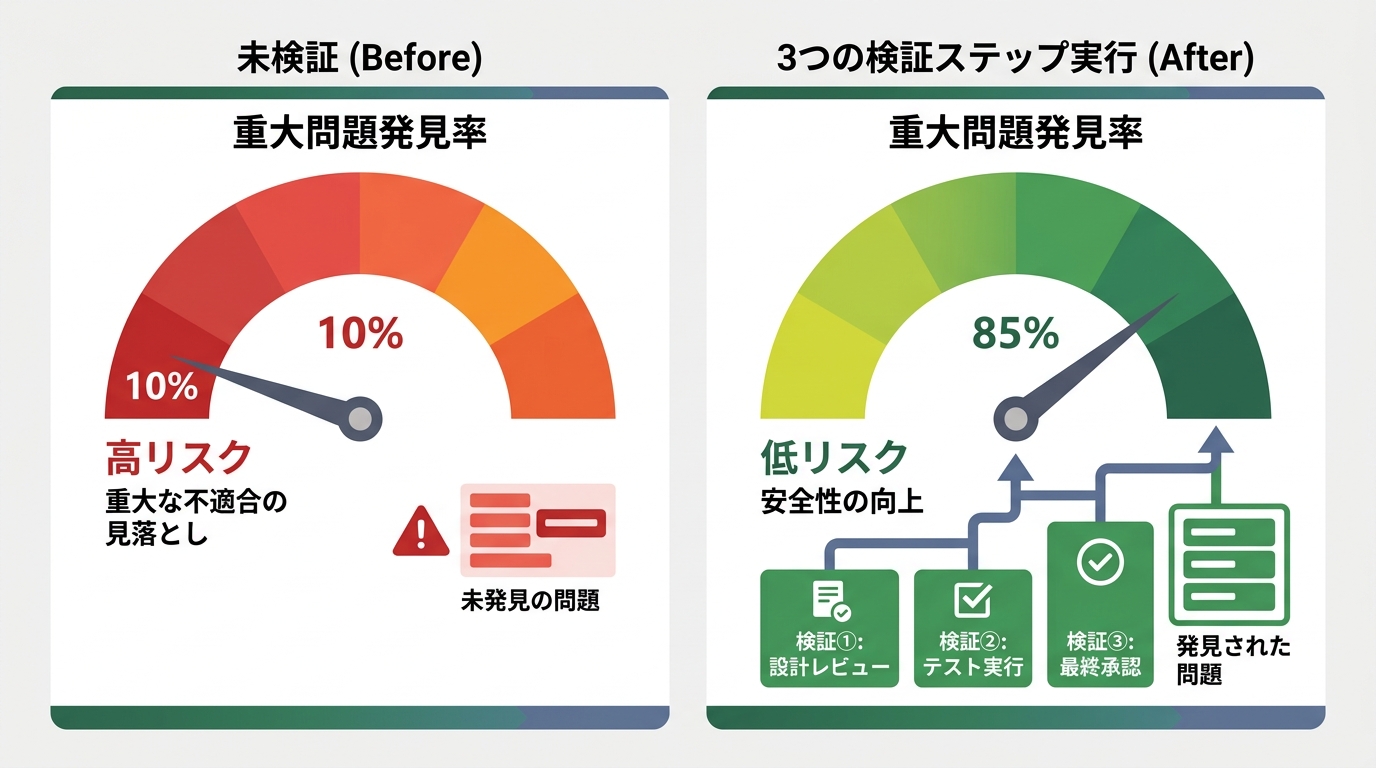
The 2.74× security-vulnerability figure from CodeRabbit’s analysis looks frightening. But it’s the number for shipping to production with no verification. Add 10 minutes of verification and the risk drops dramatically.
CodeRabbit’s point isn’t “AI is bad.” It’s “trusting AI output blindly is dangerous.” It’s the same logic as: knives aren’t dangerous; how you handle a knife is.
Something I learned in CS: “The most important thing in onboarding support isn’t teaching how to use the tool—it’s helping people develop a skeptical eye toward the tool.” The same principle applies to AI coding.
Wrap-Up: Vibe Coding Isn’t Going Away. It’s Just Entering Its Next Phase.
The amount of code written by AI will keep growing. 41% will become 50%, then 60%.
There’s no need to stop that flow, and we shouldn’t. Thanks to vibe coding, people like me—who’d given up on code—can write again. I have no intention of giving up that revolution.
But the era of “write it and you’re done” is over.
Let me recap the three Vibe & Verify steps one more time:
- Separate sessions: Run generation and verification in different contexts (3 min)
- Make it explain intent: Have AI verbalize “why I wrote it this way” (3 min)
- Build tests from break cases: Generate tests by reasoning backward from “ways it breaks” (5 min)
Total: 10 minutes. These 10 minutes prevent 3 hours of bug fixes.
I’ll keep building with vibe coding. Internal tools, personal products, all of it. But after I build, I’ll stop for 10 minutes.
“It works. But—is it safe?”
I think the habit of asking that question is the next phase of vibe coding. Want to give it a try? This time, with verification.
Reference Links

正直、一度エンジニアは諦めました。新卒で入った開発会社でバケモノみたいに優秀な人たちに囲まれて、「あ、私はこっち側じゃないな」って悟ったんです。その後はカスタマーサクセスに転向して10年。でもCursorとClaude Codeに出会って、全部変わりました。完璧なコードじゃなくていい。自分の仕事を自分で楽にするコードが書ければ、それでいいんですよ。週末はサウナで整いながら次に作るツールのこと考えてます。