If You're Paying Cursor $20/mo, Read This. OSS Vibe Coding Tool 'Kilo CLI' Arrives With 500 Models in Tow
As reported by VentureBeat, Kilo CLI 1.0 is an OSS terminal-based vibe coding tool. It supports 500+ AI models and runs with zero vendor lock-in. A former dropout engineer breaks down how it compares to Cursor and Claude Code, and what 'unlocking lock-in' really means.
What you'll learn in this article
- The key point to grasp before reading the full article
- How the issue changes the way developers should work next
- Which follow-up article is worth opening next

Gen here. Let’s talk about “having more options”
I’m paying $20/month (about 3,000 yen) for Cursor. I also use Claude Code alongside it. Throw in GitHub Copilot, and I’ve got a three-tool setup.
While paying for three AI coding tools, I suddenly realized something. “Aren’t I a little too dependent on specific vendors?”
Yesterday, I wrote about the Cursor CEO’s warning that “the ground is shifting”. My conclusion was that we need designs that break free from tool dependency.
The very next day, a tool emerged that fits perfectly into that exact context.
Kilo CLI 1.0. An OSS terminal-based vibe coding tool that supports over 500 models. VentureBeat reported on it on April 17, but there are still zero Japanese-language articles explaining it.
So I’m writing one. Whether you’re paying for Cursor or you haven’t started vibe coding yet, I want you to know about “one more option.”
What is Kilo CLI 1.0? A “fourth option” is born
Kilo CLI is an OSS vibe coding tool that runs entirely in the terminal. It can connect to over 500 AI models and is designed with no specific vendor lock-in.
Until now, the vibe coding tool landscape was dominated by three players.
Cursor holds overwhelming share with its GUI-based code completion. Claude Code has grown its presence with agent-style autonomous execution. GitHub Copilot has built a solid foothold among VS Code users.
Kilo CLI enters as the fourth player, taking a different position from the big three.
Here’s a summary of its features:
- OSS (Open Source Software): The code is public and free to use
- Terminal-only: No browser or IDE required. Runs entirely from the command line
- 500+ model support: Covers all major models including Claude, GPT, Gemini, and Ollama
- No vendor lock-in: Designed not to depend on any specific model provider
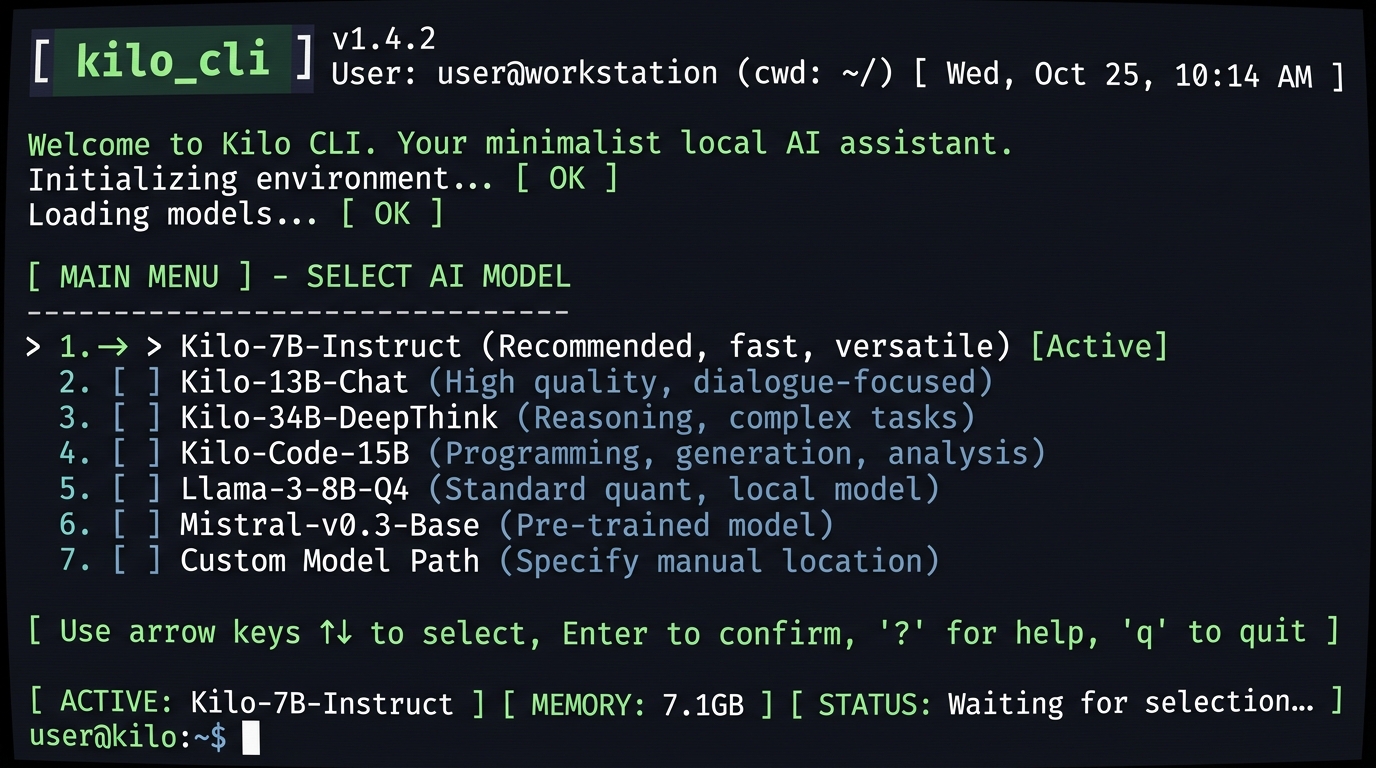
What stands out is the “500+ model support” part. Cursor uses its own optimized models. Claude Code is locked into Anthropic’s models. Kilo CLI removes those constraints.
You can choose the model you want to use. It might sound mundane. But the meaning behind this design philosophy is bigger than you’d expect.
For example, you can write with Claude today and try GPT tomorrow. If you run Ollama models locally, you can develop without sending your code to the cloud. Instead of “the tool choosing its user,” it becomes “the user choosing the tool.”
Coming from a CS background, I get this on a fundamental level. The quality of the experience changes completely between being “able to choose” and being “made to choose.” Kilo CLI delivers that “able to choose” state through just a single terminal.
The real meaning of 500-model support is “lock-in release”
The essence of 500-model support is insurance against the pace of AI model evolution. Today’s best model won’t necessarily be the best next month.
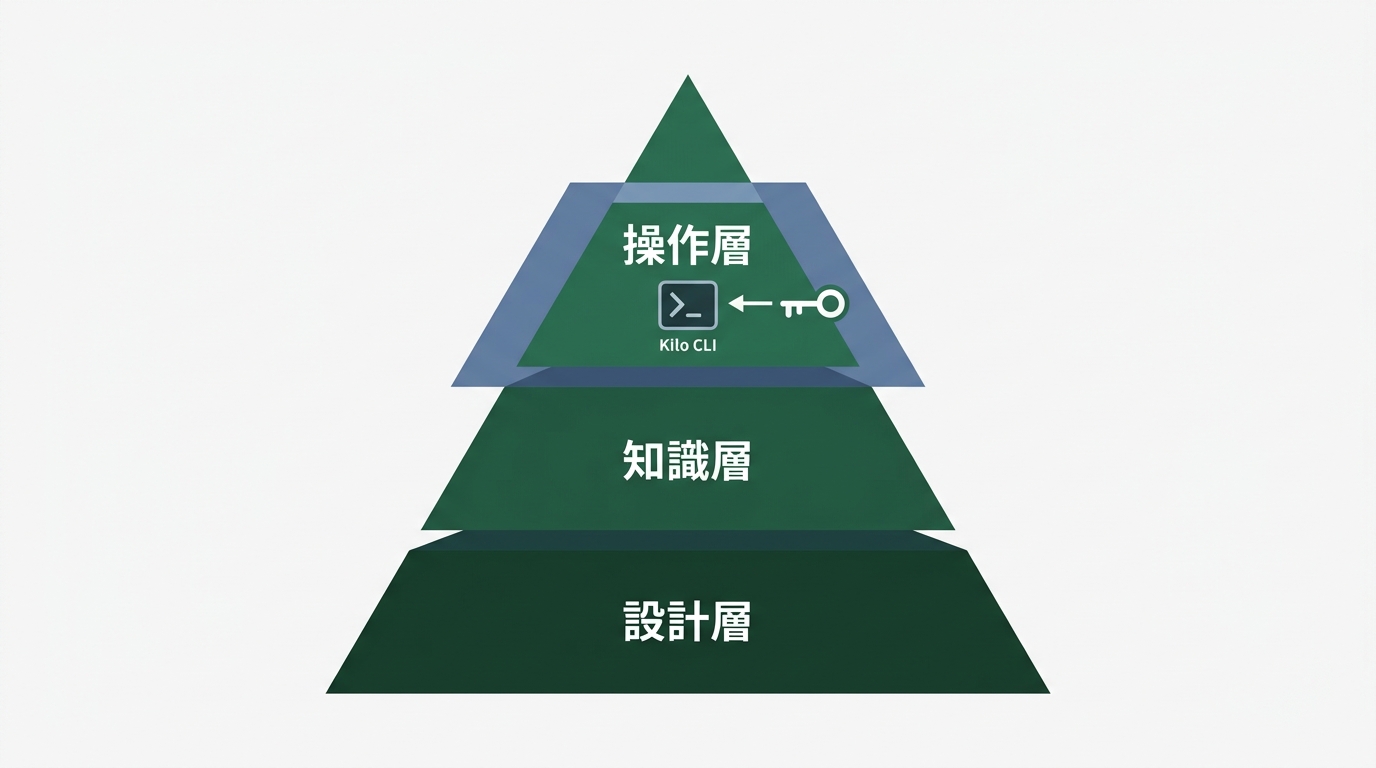
In yesterday’s article, I broke down the three layers of tool dependency. Dependency on operation, on knowledge, and on design. Kilo CLI is a tool that unlocks the operational layer of lock-in.
Why does lock-in release resonate with individual developers? There are three reasons.
1. The model landscape changes every six months
The data from Pragmatic Engineer’s developer tooling survey was striking. Claude Code usage at 46%, Cursor at 19%. Six months ago Cursor was running away with it, and now the rankings have flipped.
Next month, yet another model might rise. When that happens, being stuck in “I can only write with Cursor” mode leaves you immobilized. Kilo CLI is a tool for maintaining a “ready to switch anytime” state.
2. You can optimize your costs
Cursor Pro is $20/month. Claude Code Max starts at $100/month. Kilo CLI, on the other hand, is OSS and the tool itself is free. You only pay for API keys on a pay-as-you-go basis.
For a side-gig developer who only writes a few thousand lines a month, pay-as-you-go can actually be cheaper. If you’re writing massive amounts of code, a flat-rate plan is probably better. Kilo CLI leaves you room to “choose the billing model that fits your usage.”
3. The local model option
If you choose to run models locally with Ollama, your code never gets sent to the cloud at all.
There are surprisingly many situations where security of your work code matters. Is it really okay to paste a client’s source code into Cursor? For anyone who’s had that kind of anxiety, Kilo CLI’s design — letting you choose local models — really hits home.
One point I don’t want you to misunderstand. 500-model support doesn’t mean “use all of them.” It means “keep insurance in place so you can switch anytime.”
Cursor, Claude Code, Kilo — How to use them differently
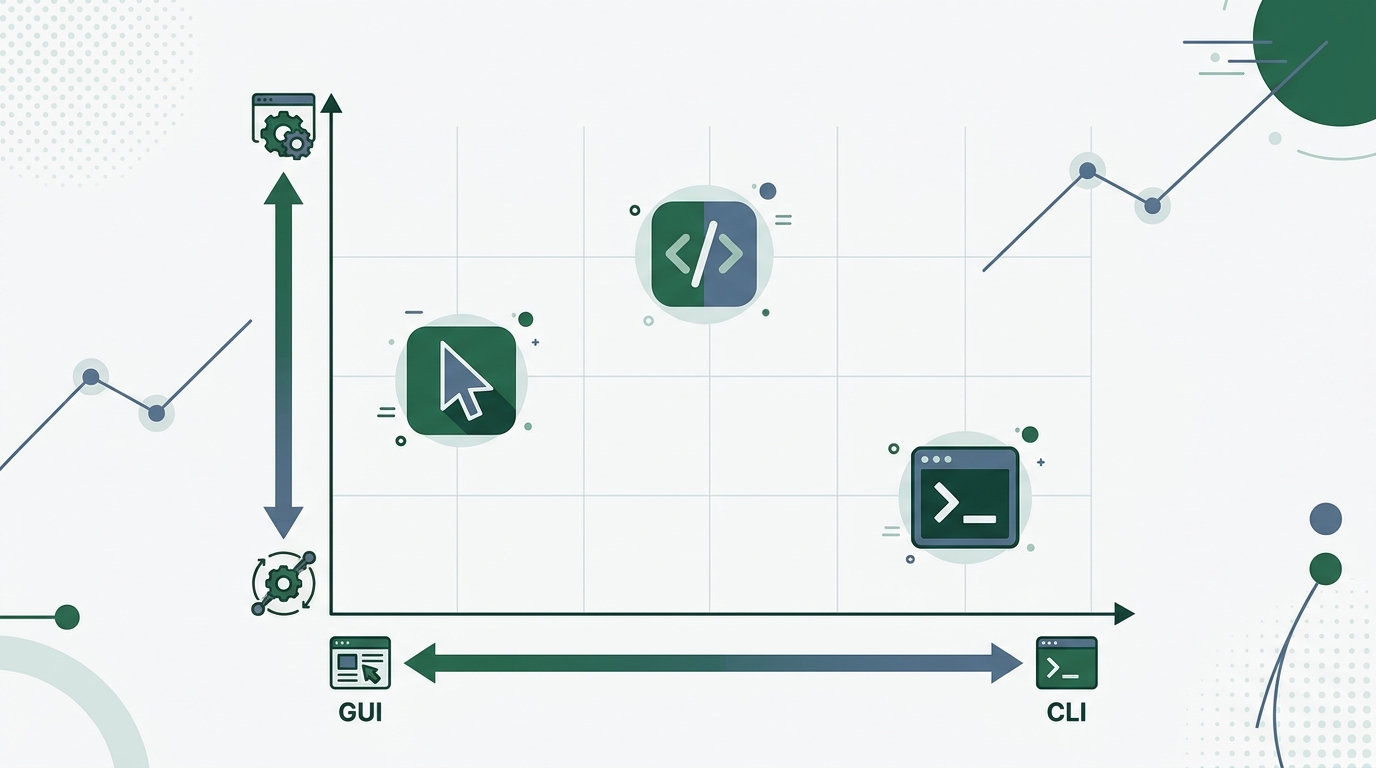
The three tools aren’t competitors — they’re complements. Using them based on the nature of the task is the right answer.
I currently keep Cursor, Claude Code, and Kilo CLI all within reach. I don’t use all of them every day. I swap between them depending on the nature of the task.
| Tool | Strengths | Weaknesses |
|---|---|---|
| Cursor | Interactive coding via GUI. High completion accuracy | Tedious to move between terminal work |
| Claude Code | Autonomous implementation across multiple files. Agent behavior | Expensive monthly fee (Max starts at $100) |
| Kilo CLI | Terminal-only. Free model switching. Local support | No GUI-based visual aid |
The criterion for choosing comes down to “does this task need a GUI?”
When adjusting frontend UI, Cursor is convenient. Being able to fix code while watching a preview is a strength only a GUI can offer. When pushing through a large-scale refactor in one go, Claude Code’s agent behavior fits well.
Writing server-side scripts. Setting up a CI (Continuous Integration) pipeline. For tasks that complete entirely in the terminal, Kilo CLI is the right fit.
You don’t need to “do everything in Cursor.” Nor is “switching everything to Kilo CLI” the answer. Like a carpenter swapping between chisels and planes depending on the situation, you pick the tool that fits the task. That’s all there is to it.
Let me share one personal experience.
Last week, I was writing the backend (Python + FastAPI) for an internal dashboard. I was using Claude Code in the terminal, but partway through I wanted to try GPT-4o’s output too. Claude Code doesn’t let you switch models. I ended up opening ChatGPT in a browser and copy-pasting code back and forth.
That “open browser, copy-paste” friction would be solved with a single command in Kilo CLI. It might look like a small difference, but for a task you do many times a day, it adds up to real productivity gains.
I’ll write everything — from install to gotchas
Setting up Kilo CLI takes just a few minutes. The two gotchas are “API key configuration” and “model specification.” I’ll tell you upfront.
Since it’s OSS, you can install it from the official repository.
# Install via npm (requires Node.js 18+ environment)
npm install -g kilo-cli

# Check version
kilo --version
First gotcha. You need Node.js version 18 or higher. With older versions, the install itself will fail. Check this in advance.
# Check Node.js version
node --version
# v18.0.0 or higher recommended
Next, set the API key for the model you want to use as an environment variable.
# Example: setting the Anthropic API key
export ANTHROPIC_API_KEY="sk-ant-..."

# Example: setting the OpenAI API key
export OPENAI_API_KEY="sk-..."
This is the second gotcha. If you launch without setting the API key, you’ll get an error message in English. And the error wording is hard to parse.
It took me 10 minutes to realize “wait, the API key just isn’t set?” I’m writing this up so you can clear it in 10 seconds.
Let’s actually write some code.
# Launch Kilo CLI (specify the model)
kilo --model claude-sonnet-4-20250514

# An interactive interface starts up
> Build a simple Todo app API in Python. Use FastAPI.
Code is generated in a few seconds. You can choose to write it to a file or just review it in the terminal.
This is where I felt the biggest difference. You can switch models mid-session.
# Switch to GPT-4o mid-session
kilo --model gpt-4o

# Ask GPT to improve the code generated by Claude
> Add error handling to the FastAPI code from earlier
You can have GPT-4o modify part of the code Claude generated. This usage isn’t possible with Cursor. You’d need to close the tool and reopen another app. With Kilo CLI, it’s one command.
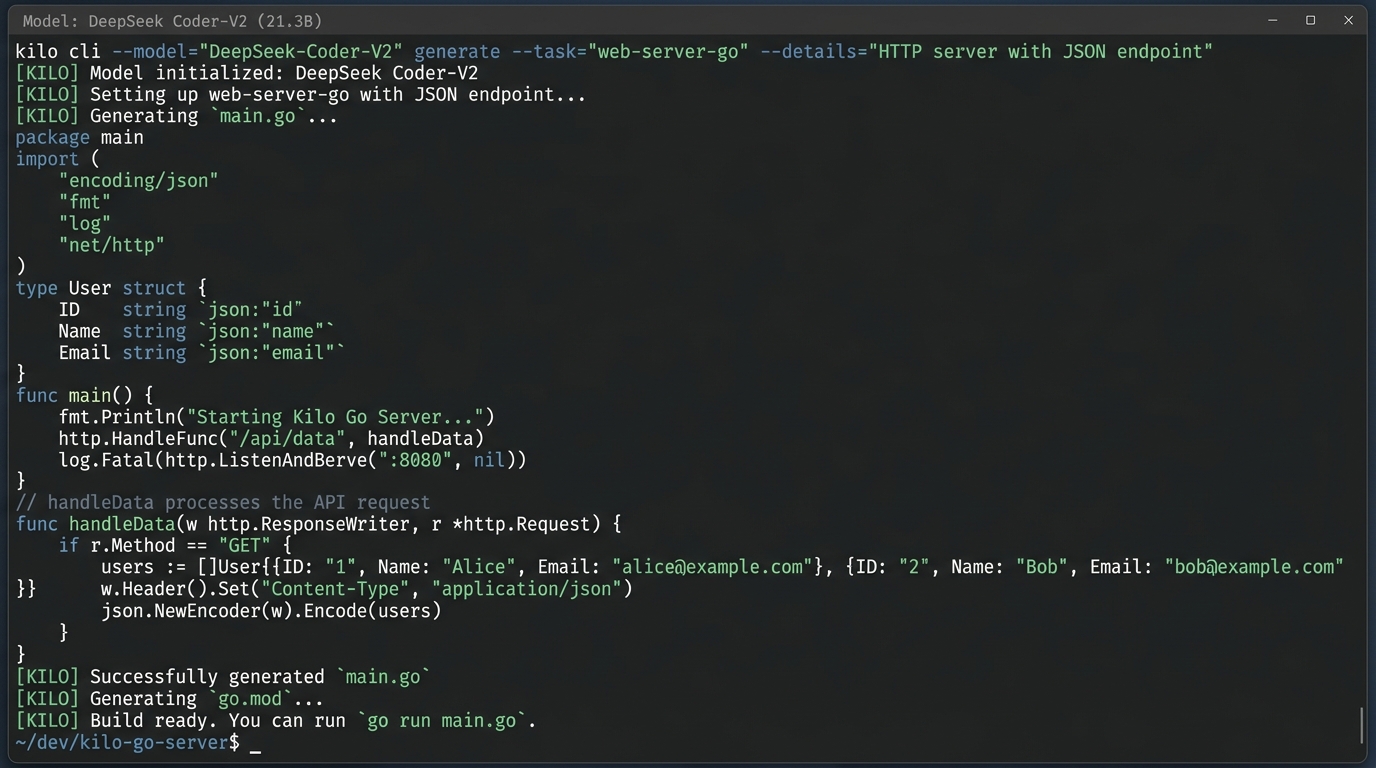
The downside of having no GUI is real. Honestly, scrolling through long code in the terminal can be rough at times.
You need to accept that trade-off. Kilo CLI is a tool for people who want to complete everything in the terminal. If you need a GUI, just use Cursor. That’s what using the right tool for the job means.
※ Command examples are as of the time of writing (April 18, 2026). Check the official Kilo CLI repository for the latest instructions.
Which type are you? Decide with these 4 categories
The line between “people who should use Kilo CLI” and “people who don’t need it right now” is clear. Figure out your type before acting.
There are four exits.
Type A: Currently paying for Cursor and satisfied
No need to switch right away. Just knowing Kilo CLI exists as “insurance” is enough. It becomes your escape route when Cursor raises prices or when you become dissatisfied with the models it supports. Just “knowing it’s there” gives you peace of mind.
Type B: Currently paying for Cursor but worried about costs
Try moving just your server-side work to Kilo CLI. Keep your frontend work in Cursor. I recommend a one-week trial to see if you can lower your monthly costs while still getting the benefits of AI coding.
Type C: Terminal users currently using Claude Code/Copilot
This is the type Kilo CLI fits best. You’ll get the most out of the 500-model support. The ability to develop while securing privacy with local models is also a strong advantage.
Type D: Haven’t started vibe coding yet
Honestly, starting with Kilo CLI is a bit of a high bar. Starting with the GUI-equipped Cursor will give you a smoother experience. That said, if you already have a Node.js environment on hand, trying out the free Kilo CLI as an experiment is a valid option.
Three questions to determine your type:
- In your usual development work, is it more terminal or more GUI?
- Are you satisfied with what you pay monthly for AI coding tools?
- Is the model you want to use fixed, or do you want to try several?
If you answered “terminal, dissatisfied, multiple” to all three, Kilo CLI is well worth trying.
Summary
Kilo CLI 1.0 isn’t a tool screaming “you don’t need Cursor or Claude Code.” It’s a tool that quietly offers “one more option.”
The essence of 500-model support lies in unlocking lock-in. The OSS + terminal-only design will resonate with server-side developers and cost-conscious individual developers.
Yesterday, I wrote about the Cursor CEO’s warning that “the ground is shifting”. If you’re thinking about the risks of tool dependency, knowing about alternatives like Kilo CLI is itself a form of insurance.
I’m someone who once stepped away from code entirely. Thanks to AI, I was able to come back. That’s exactly why I feel this so strongly. Having more tool options is always a good thing.
People who fit with Cursor should keep using Cursor. People who feel at home with Claude Code don’t need to force a change. And for people who want to push multiple models to the limit in the terminal, a new option called Kilo CLI has been born.
As a former dropout engineer, I’ll say only one thing. “Don’t be bound by your tools. But the more tools, the better.”

正直、一度エンジニアは諦めました。新卒で入った開発会社でバケモノみたいに優秀な人たちに囲まれて、「あ、私はこっち側じゃないな」って悟ったんです。その後はカスタマーサクセスに転向して10年。でもCursorとClaude Codeに出会って、全部変わりました。完璧なコードじゃなくていい。自分の仕事を自分で楽にするコードが書ければ、それでいいんですよ。週末はサウナで整いながら次に作るツールのこと考えてます。